

Purpose
Streamline the onboarding process
Overview
- GB stage 2 registration process
- US stage 2 registration process
- Pending onboarding
- Activating an account
GB stage 2 registration process
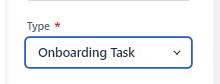
Step 1: Change the 'Type' from Customer ticket to Onboarding Task
Step 2:If GB then assign ticket to Chris and automation will add his name to the MBD field
Step 3: Close ticket
Step 4:Chris will approve the onboarding after qualification call
US stage 2 registration process
Step 1: Change the 'Type' from Customer ticket to Onboarding Task
Step 2: Wait for Cindy to assign MBD (see step 4 when Cindy is adds a note and not assigning a MBD)
Step 3: When MBD is assigned, approve onboarding (except for registration that come in from the Source Leadconnect, Subsource Amex GCS, no need to approve onboarding, as this is a trusted source, onboarding will be approved automatically)
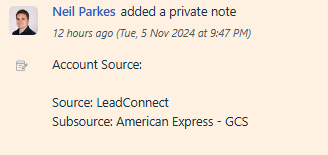
Step 4: If Cindy adds a note that is suspicious, red flags etc and not assigning MBD then reject the onboarding and lock the account
Pending onboarding
Onboarding changes from unapproved to pending once approved. Then follow the next steps
Step 1: If automation doesn't kick in, check if there is a SFDC account. If yes, then add the SFDC ID to the Freshsales account


Step 2: If there is no account, automation will start once MBD creates the account in SFDC
Activating an account
Step 1: Make sure all onboarding tasks are completed. Adding CAPID to CTE tool is still a manual task for us. Access CTE tool via OKTA and not through a saved link(bookmark)
Step 2: Check if the MBD has given the approval to activate
Step 3: Activate the company in Neo1