Purpose
In this article, we will cover the actions taken to facilitate the onboarding configurations for Airlink partners. This process is owned by Bri Hayes, but instructions are provided to be completed in her absence, as needed.
Overview
Neo1
- Manually create the account
- (Stage 1 and Stage 2 using details provided by NGO), and flip account to active
- Have dev link registration to Airlink domain
Send in CS slack channel:
Hello @sisyphus,
I need the following companies to have the same CAPID and DK number (Airlink): ** Insert company name **. Their technical ID is * insert technical ID *
Airlink
CAPID: 01YSN1
DK: 07701002050
Thank you!
**Their technical ID can be found within the Neo1 admin url for the company -- see example https://files.slack.com/files-pri/T0GMLGL0Y-F07PNJXLXSL/image.png

- Have Airlink add shared payment card
- Email abustillo@airlinkflight.org to have her add
Neo Admin
Add content custom for Airlink affiliated NGO's - See Airlink for reference
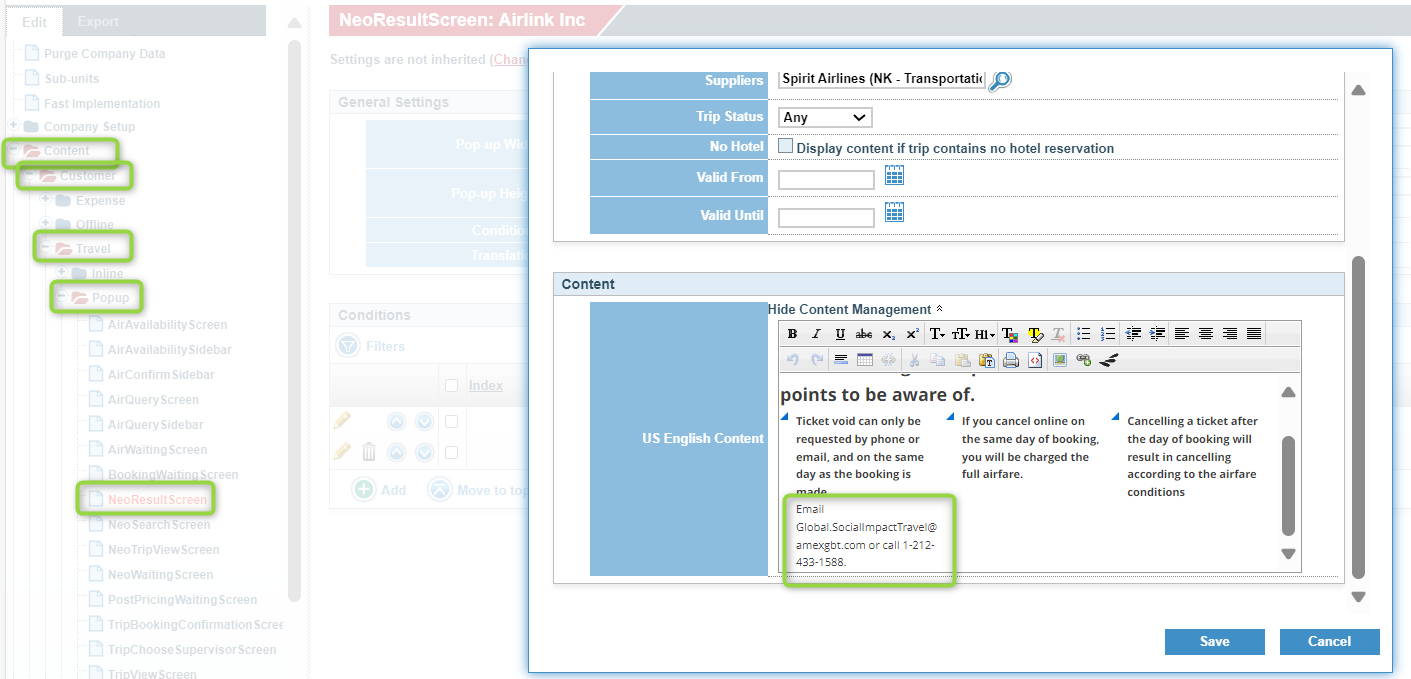
- Content > Customer > Travel > Popup > Neo Results
- Use a copy
- Check box 'Indicate when content displays'
- Update text in content management (copy from Airlink) and save
- Apply modifications
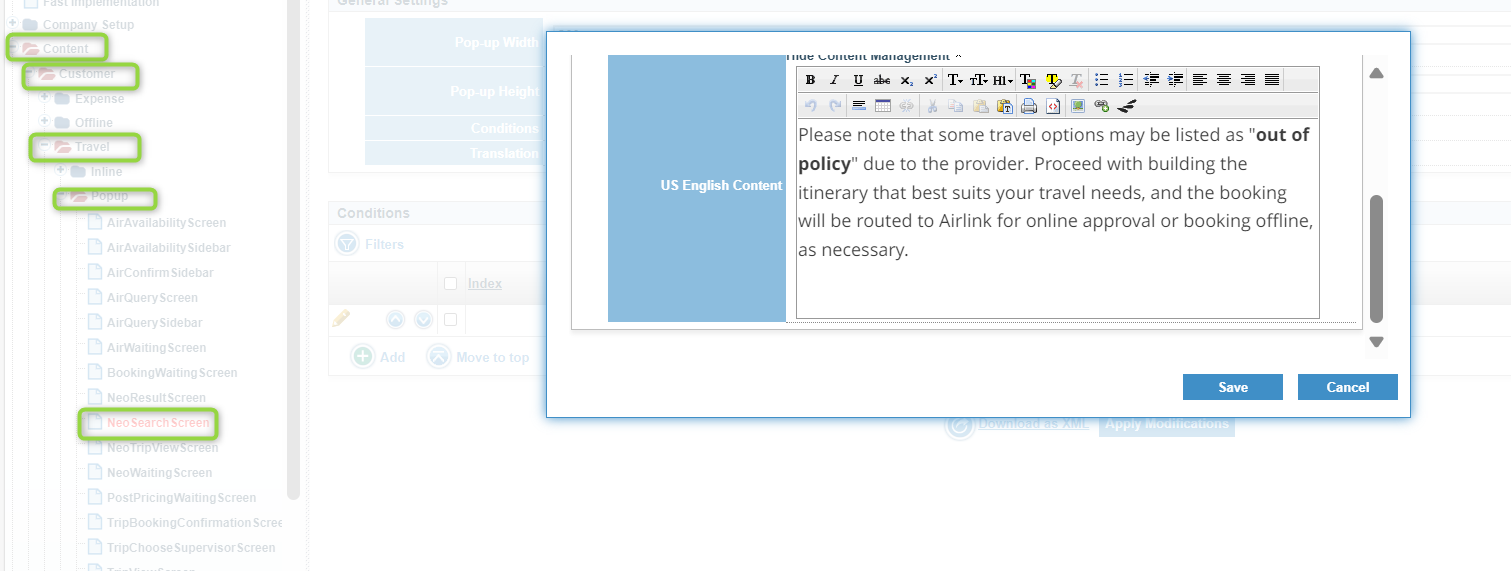
- Content > Customer > Travel > Popup > Neo Search Screen
- Use a copy
- Check box 'Indicate when content displays'
- Update text in content management (copy from Airlink) and save
- Apply modifications
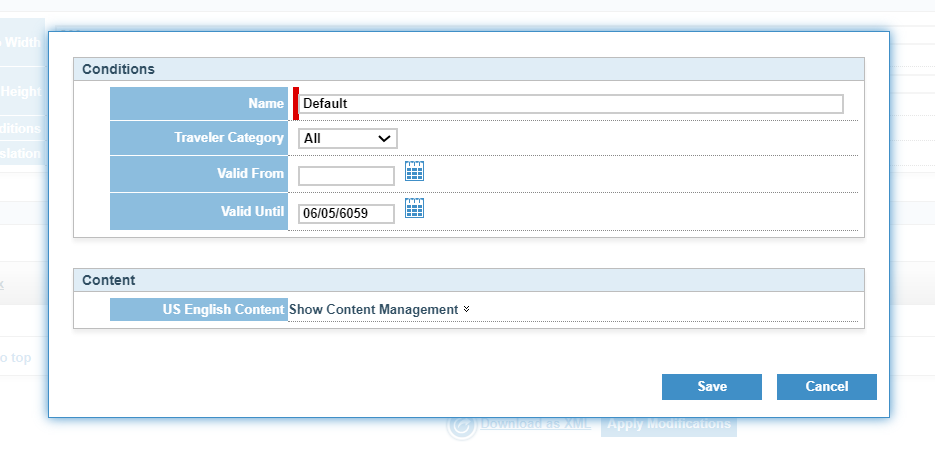
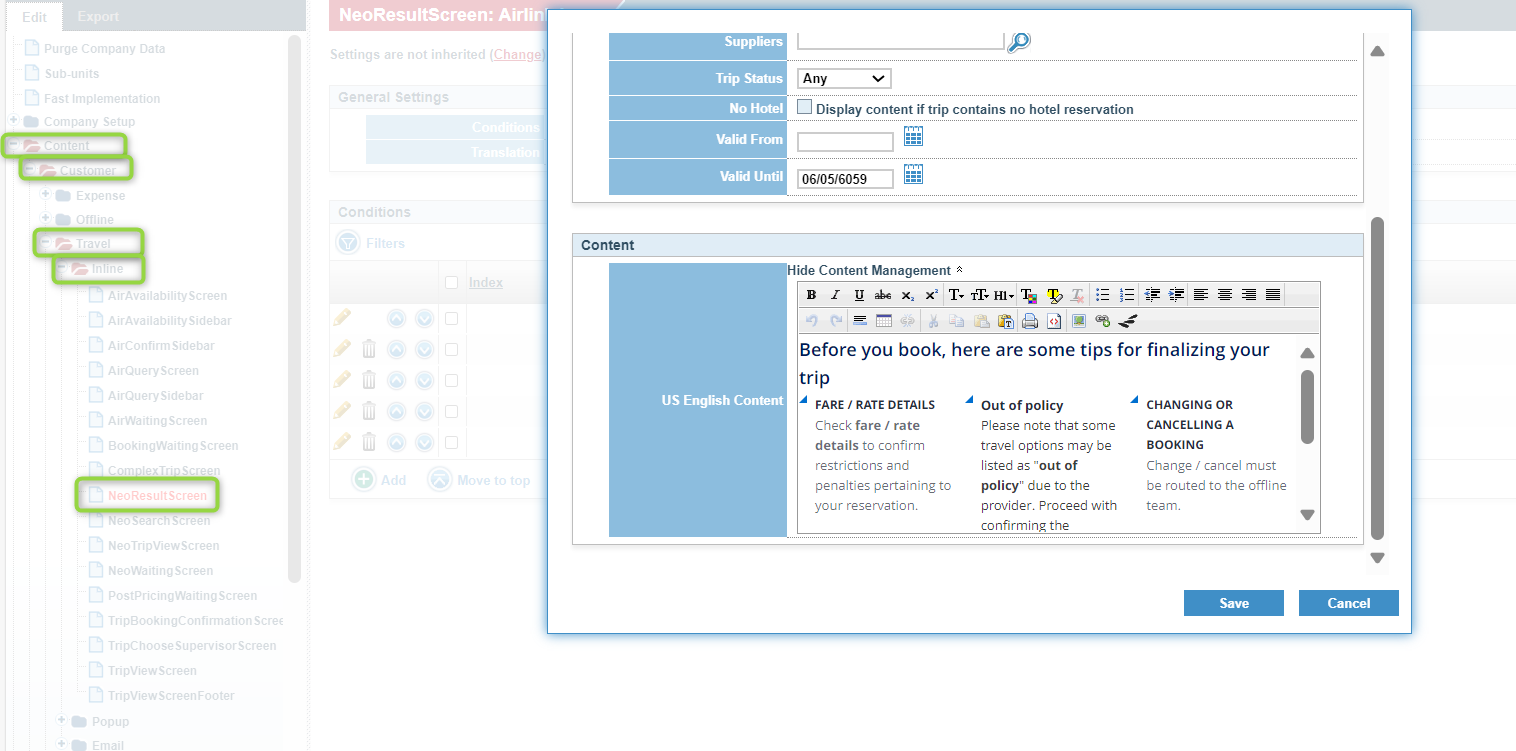
- Content > Customer > Travel > Inline > Neo Result Screen
- Use a copy
- Edit the General condition: Change name to General + Out of policy and set valid until 06/05/6059
- Update text in content management (copy from Airlink) and save
- Apply modifications
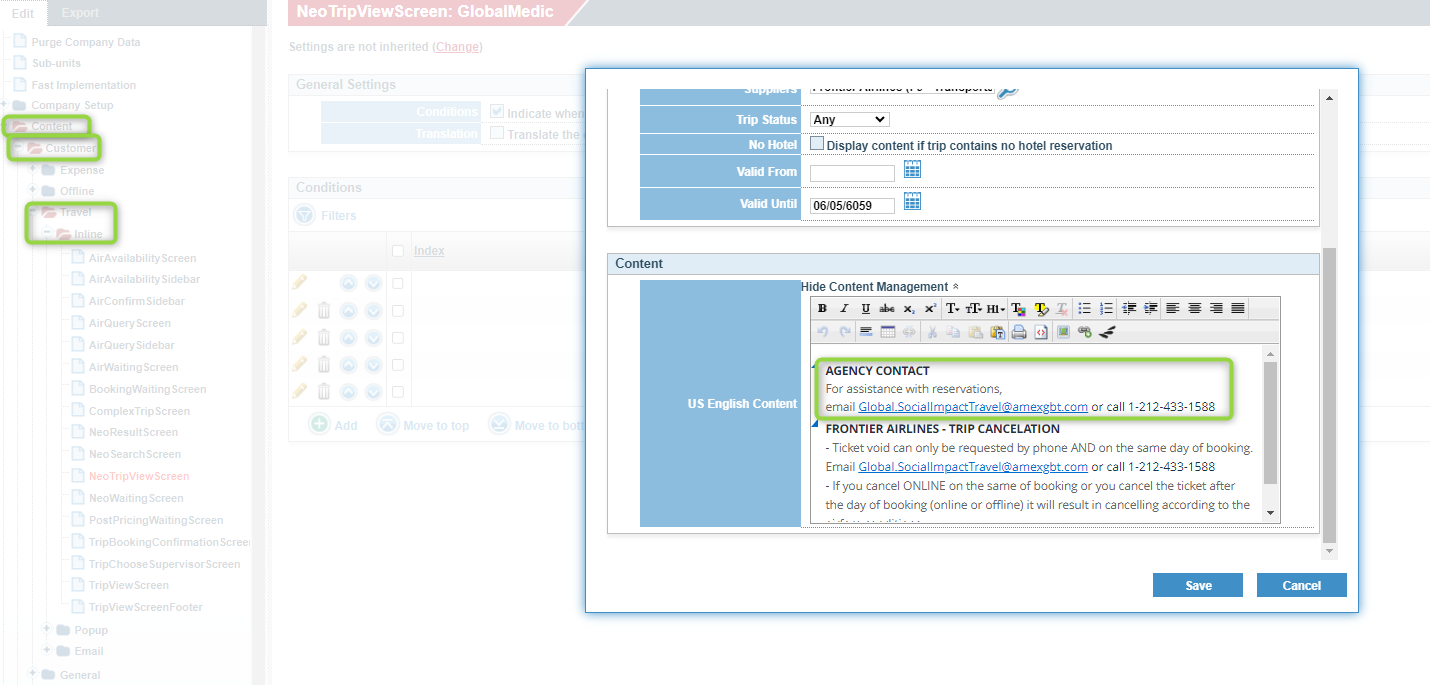
- Also update Inline > Neo Trip View Screen content to remove Visa Portal and AmexGBT contact details for each option and include : email Global.SocialImpactTravel@amexgbt.com or call 1-212-433-1588 (copy from Airlink)
- Save and Apply Modifications
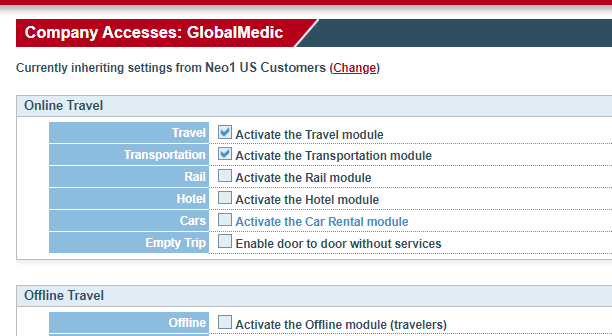
Remove hotel/car/train content
- Company setup > Company Accesses
- Use a copy
- Deselect rail, hotel, car
- Apply Modifications
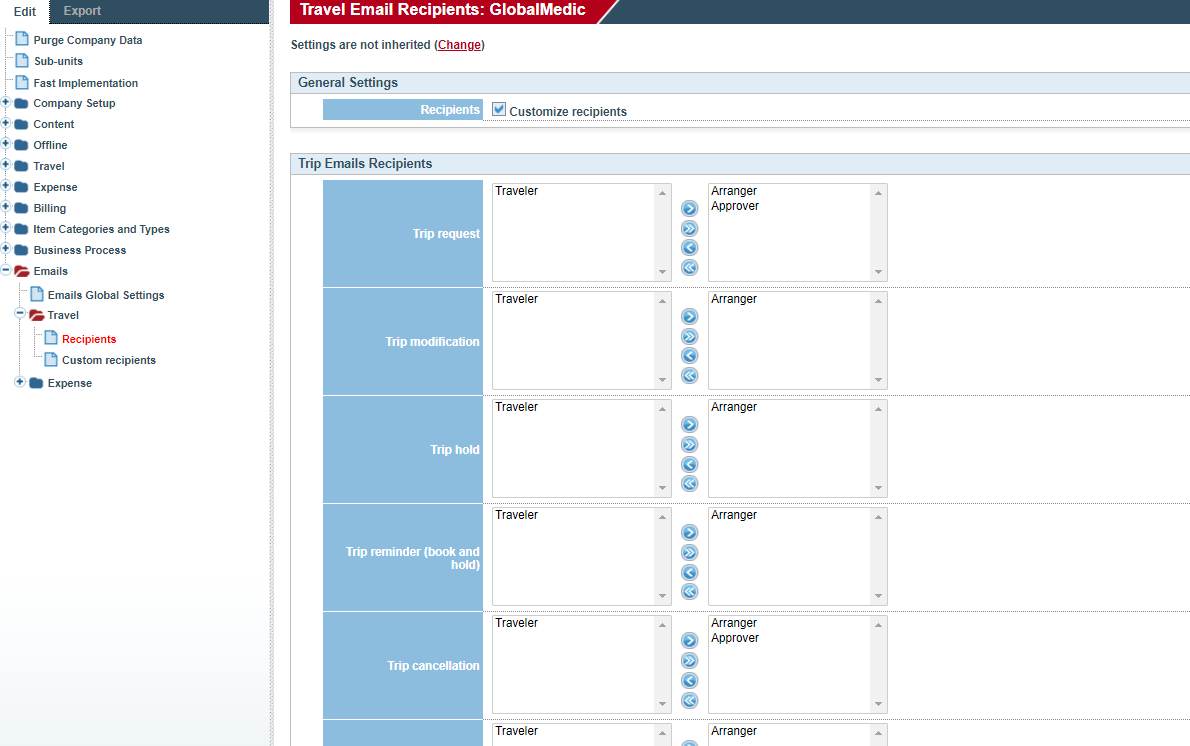
Update email settings to route to approver/arranger only
- Emails > Travel > Recipients
- Use a copy
- Remove traveler for all options
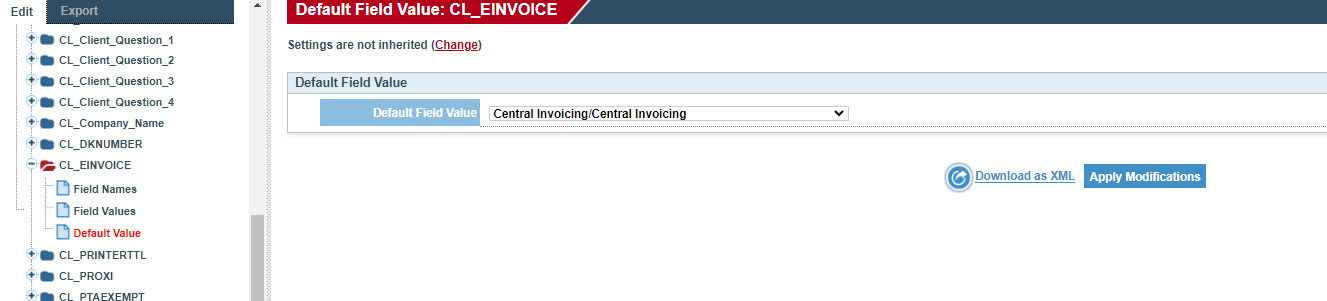
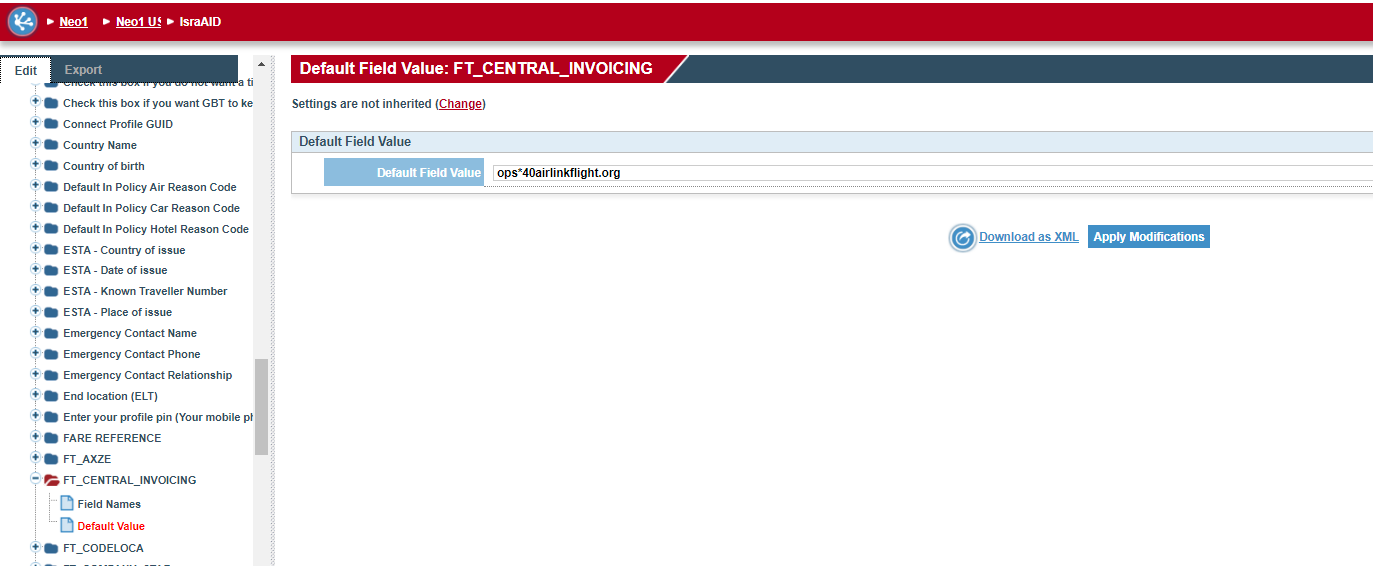
Add ops@airlinkflight.org as central invoicing and set invoices to send to central invoicing only
- Company Setup > Fields > CL_Einvoice > Default Value
- Use a copy
- Set default field value as central invoicing
- Apply modifications
- Company Setup > Fields > FT_Central_Invoicing > Default Value
- Use a copy
- Set default field value as central invoicing
- Apply modifications
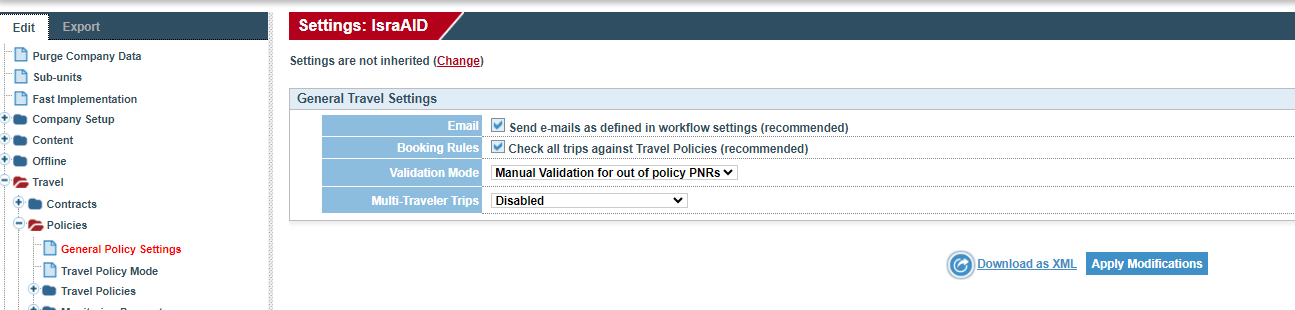
Set Airlink Travel Policy settings
- Travel > Policies > General Policy Settings
- Use a copy
- Change validation mode to Manual Validation for out of policy PNRs
- Apply modifications
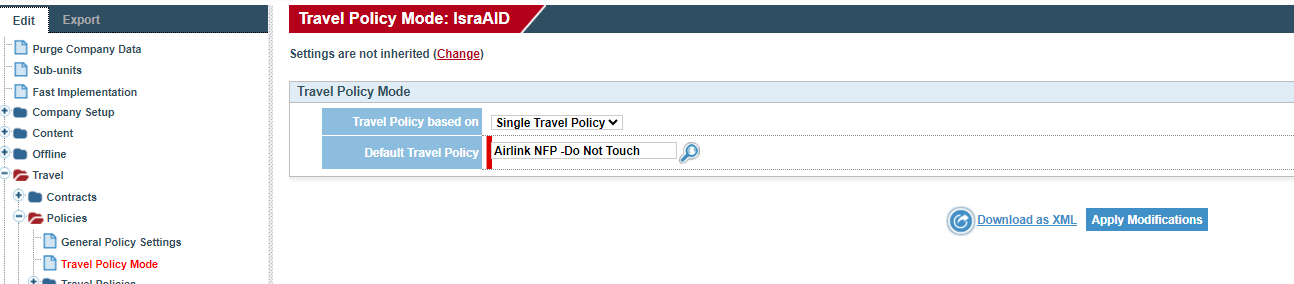
- Travel > Policies > Travel Policy Mode
- Use a copy
- Change default travel policy to Airlink NFP - Do Not Touch
- Apply modifications
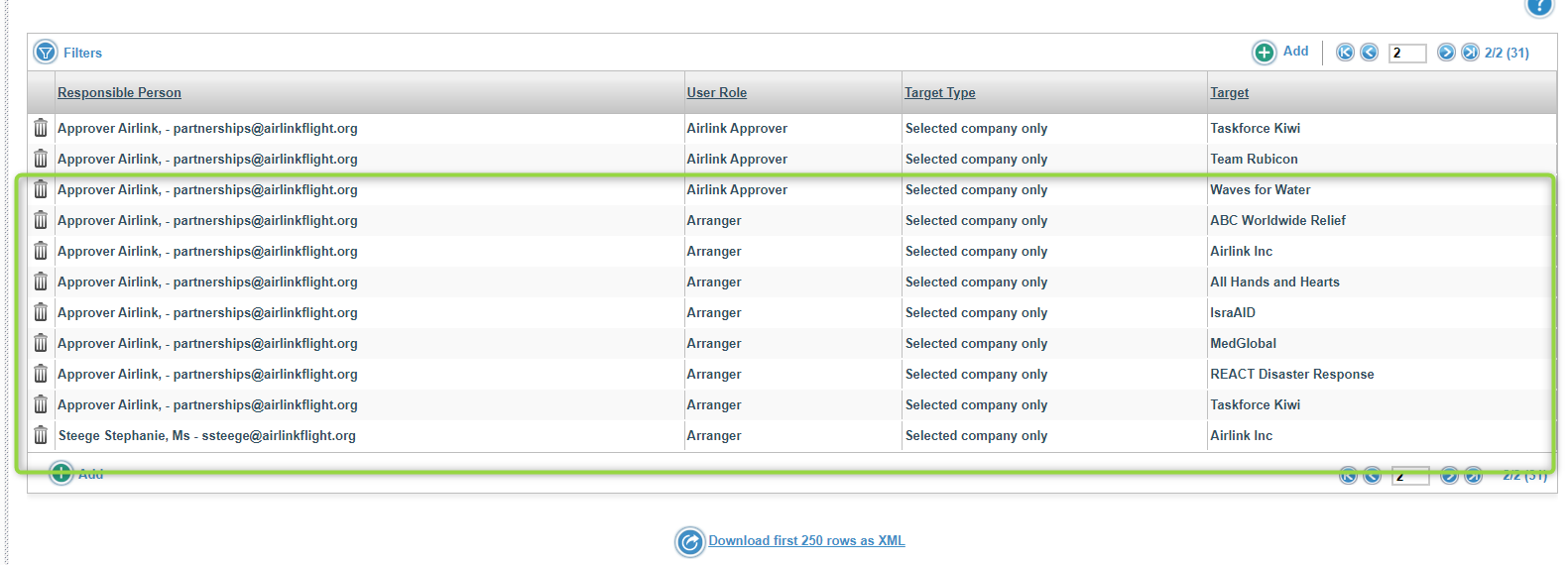
Go to Airlink account and add arranger and approver in user responsibilities within ***AIRLINK account***
- Find and select Airlink account under Neo1 US
- Company setup > User Responsibilities
- Click Add
- Assign partnerships@airlinkflight.org as responsible person
- Assign Airlink Approver user role
- Target type is Selected company only
- Search and select the NGO partner you are setting this for, as this ensures all of their approvals route appropriately
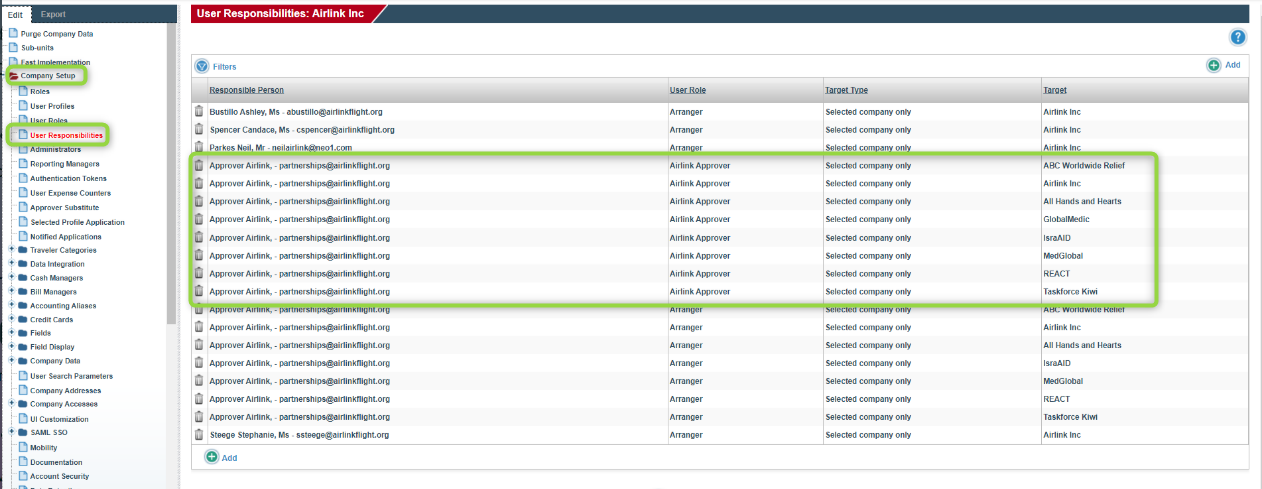
- Find and select Airlink account under Neo1 US
- Company setup > User Responsibilities
- Click Add
- Assign partnerships@airlinkflight.org as responsible person
- Assign Arranger user role
- Target type is Selected company only
- Search and select the NGO partner you are setting this for, as this ensures all of their approvals route appropriately