

We're excited to share the latest enhancements to your Guest Travel and Expense platform.
This release delivers an enhanced trip list with advanced filtering, event-driven travel search for faster bookings, Microsoft SSO for seamless authentication and customizable dashboard branding.
Explore the full release note below for complete details on all improvements.
In this update
Key enhancement
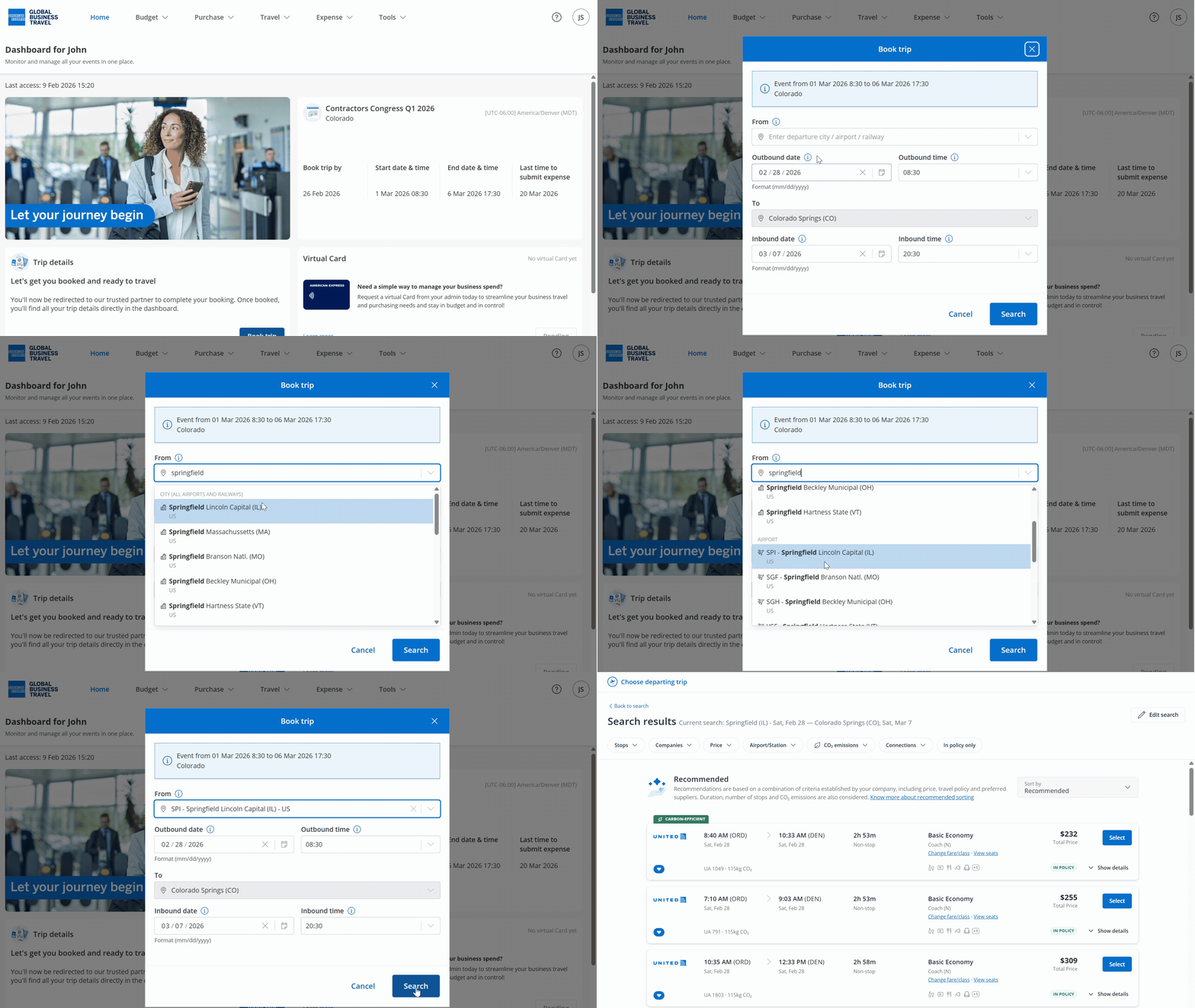
Event-driven travel search for guest travelers
Guest travel booking just got simpler. When guest travelers select 'Book trip' from event invitations, they enter their departure location and go straight to search results.
We've built the system to automatically pull all the details it needs from your event context and show guests search results. The departure time aligns with your event schedule, policy compliance happens in the background, and you move seamlessly from invitation to booked reservation. The results? A faster, easier booking experience that drives online adoption. Plus, your guests arrive on time, exactly where you expect them.
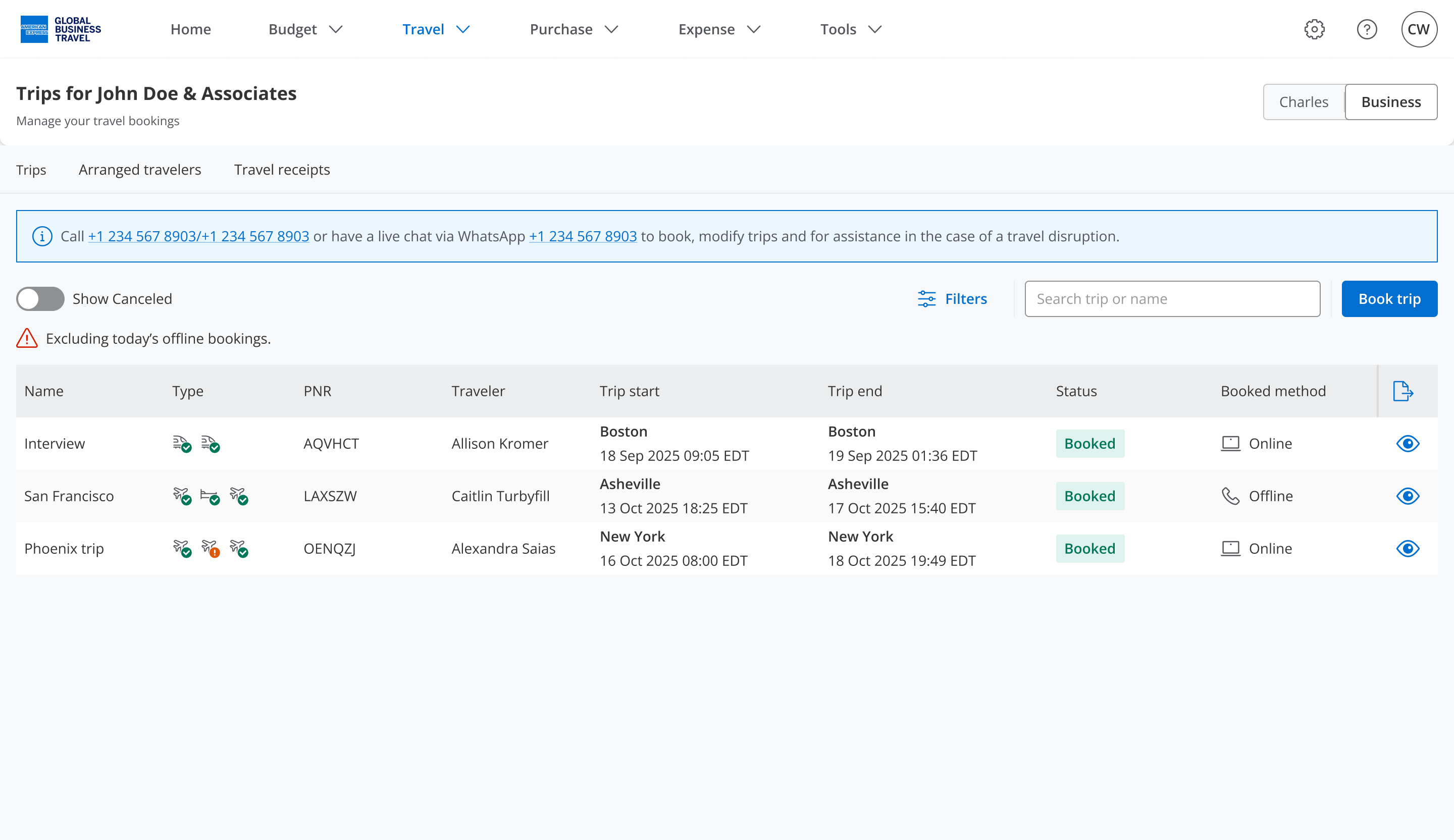
Enhanced trip list: comprehensive travel visibility and real-time tracking
We've enhanced the trip list to give you complete visibility into travel activity and streamlined trip management. Comprehensive booking details — including status, itinerary segments, and real-time updates — are now accessible directly from the trip view, so you won't need to navigate multiple screens for the information you need.
Advanced filtering capabilities help you find trips quickly across multiple parameters: search by name, PNR, traveler, or destination, and apply filters for booking status, segment type (air, hotel, rail, car), travel dates, and departure/arrival times. You can also show or hide cancelled trips depending on what works best for you.
This enhancement delivers real benefits: admins monitor guest travel with greater accuracy, travelers access booking information instantly, and all stakeholders maintain complete oversight of travel activity from one unified interface.
Product updates
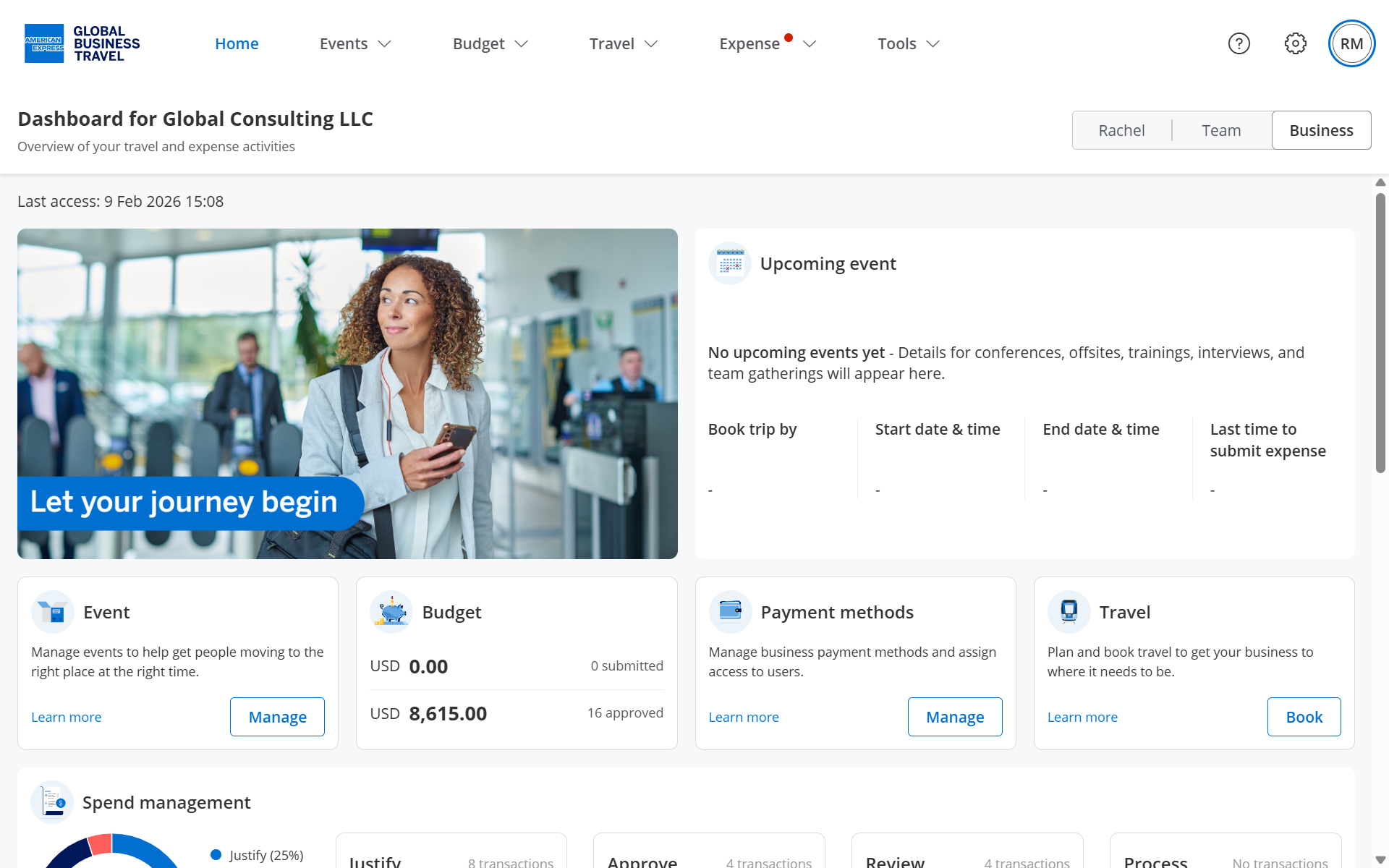
Customizable dashboard branding
Single sign-on (SSO) authentication
Simplified login experience
Additional improvements
- Refined supervisor dropdown to show only active users when adding single guests.
- Enabled bookings after event's booking deadline when applicable.
- Adjusted RSVP email to better manage capital letters in guest responses.
- Improved pending amount accuracy for virtual Cards with non-active status.
- Aligned date of birth validation in guest import with platform requirements for minimum birth year (1920).
- Resolved supervisor auto-assignment in guest import for email addresses containing '+' character.
- Updated virtual Card status display to show 'Active' after user re-authorization.
- Prevented card user status override when modifying activated user information.
Our aim is to keep improving everything we do to provide a great experience to our customers, as always any and all feedback is welcome, simply contact us at help@amexgbtone.com.