

 Audience: Travelers
Your virtual Card gives you a dedicated spending limit for travel and in some cases, on-trip expenses. Tracking your spending helps you stay within your assigned budget, avoid unexpected issues, and maintain clear visibility into your expenses. This feature lets you monitor your available funds and see exactly how much you've spent — so you can confidently manage your trip without surprises.
Note: Before using your virtual Card for mobile or online payment, confirm with your event organizer what usage is permitted. Some organizations restrict virtual Cards to booking purposes only.
1- Access your virtual Card budget
- Use the virtual Card widget on your dashboard
The dashboard is the home page of your app, with high-level overview and quick actions to access major features.
If you have been issued a virtual Card, you will see a widget on the right side showing your virtual Card's status, available budget, and expiration date.
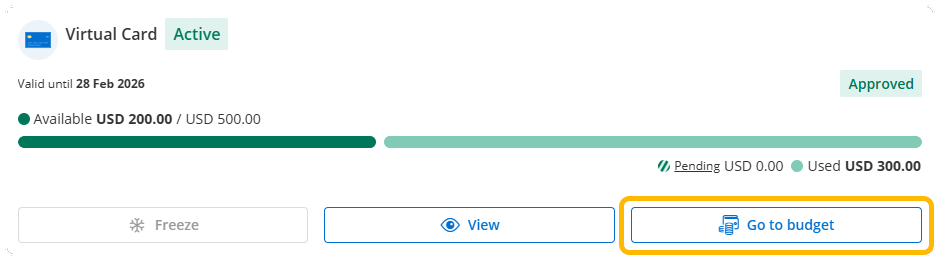
Click 'Go to budget' to view your spend and budget details.
- Or use the virtual Card budget menu
You can also access the virtual Card budget from any page:
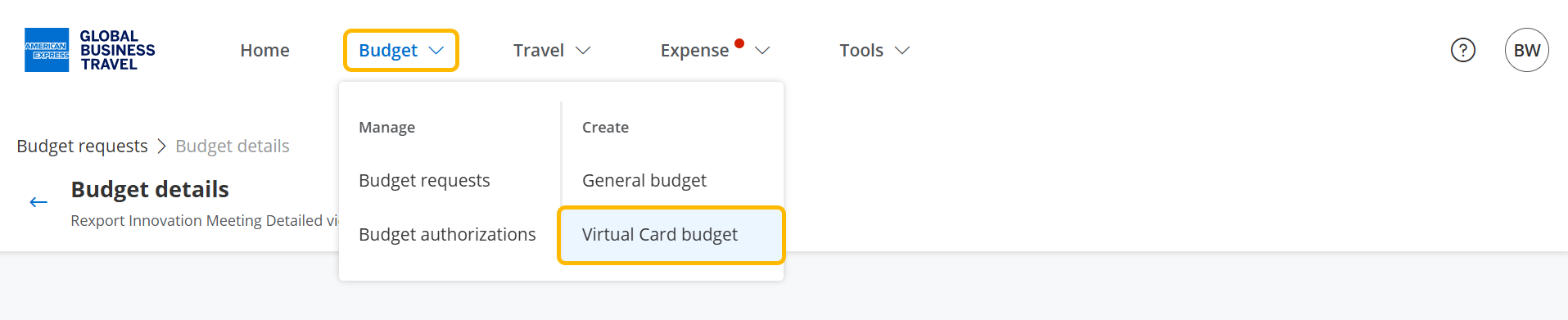
- Click 'Budget' from the navigation menu
- Then, select 'Virtual Card budget' from the menu.
2- Understanding your virtual Card budget
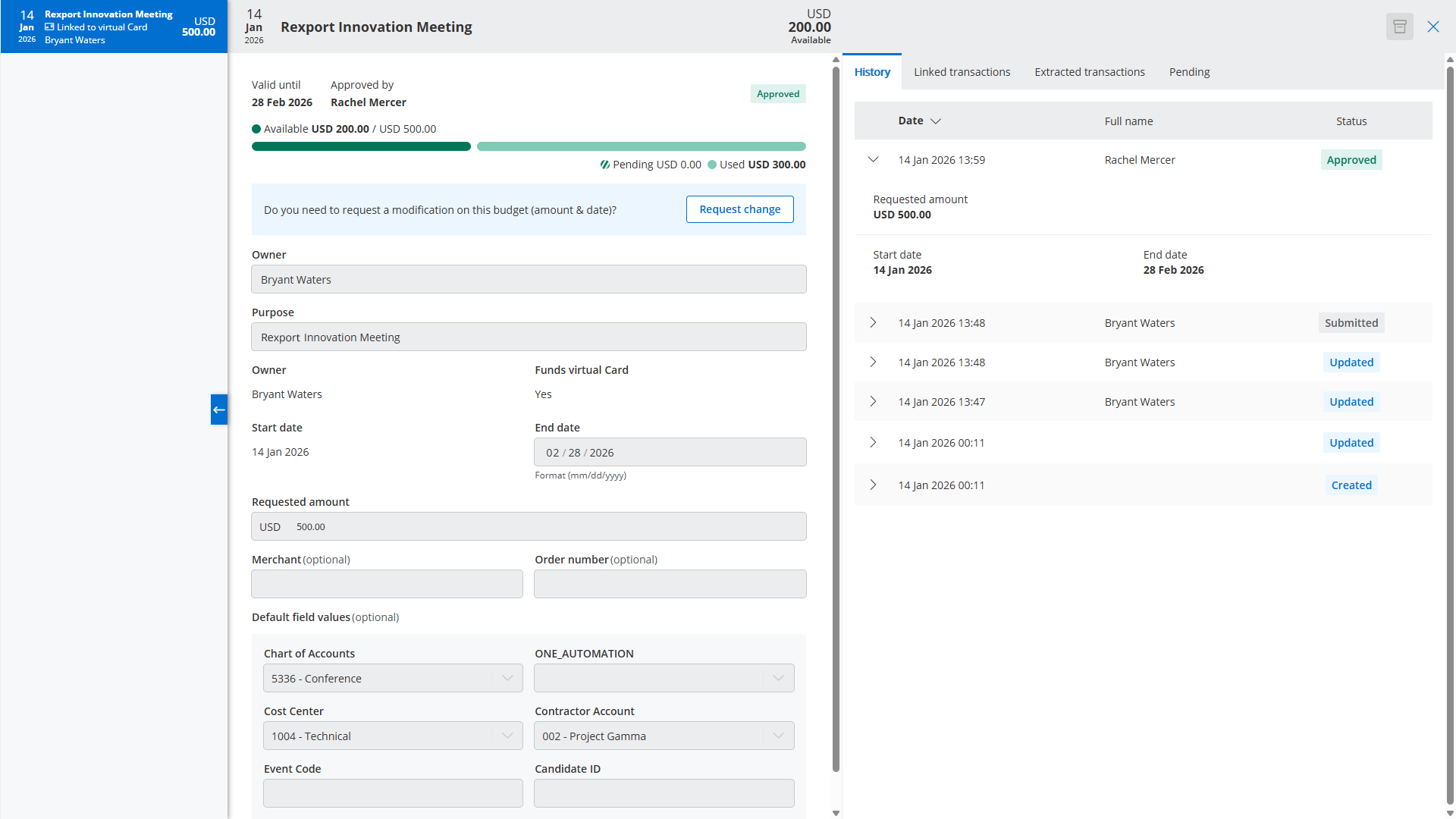
On the right column, you can navigate tabs to view:
- the history of fundings,
- the transactions details with vendor name, amount and date,
- the pending funding requests.