

 Audience: Travelers
 As a traveler, you will receive an invitation to confirm your attendance and travel needs for the event. Your RSVP helps event coordinators plan accordingly and provide you with the right travel support.
Video: How to confirm your attendance and need for travel (RSVP)
Step by step guide
You have received an invitation email in your inbox with a link to the platform. Click the RSVP link to confirm your attendance and need for travel.
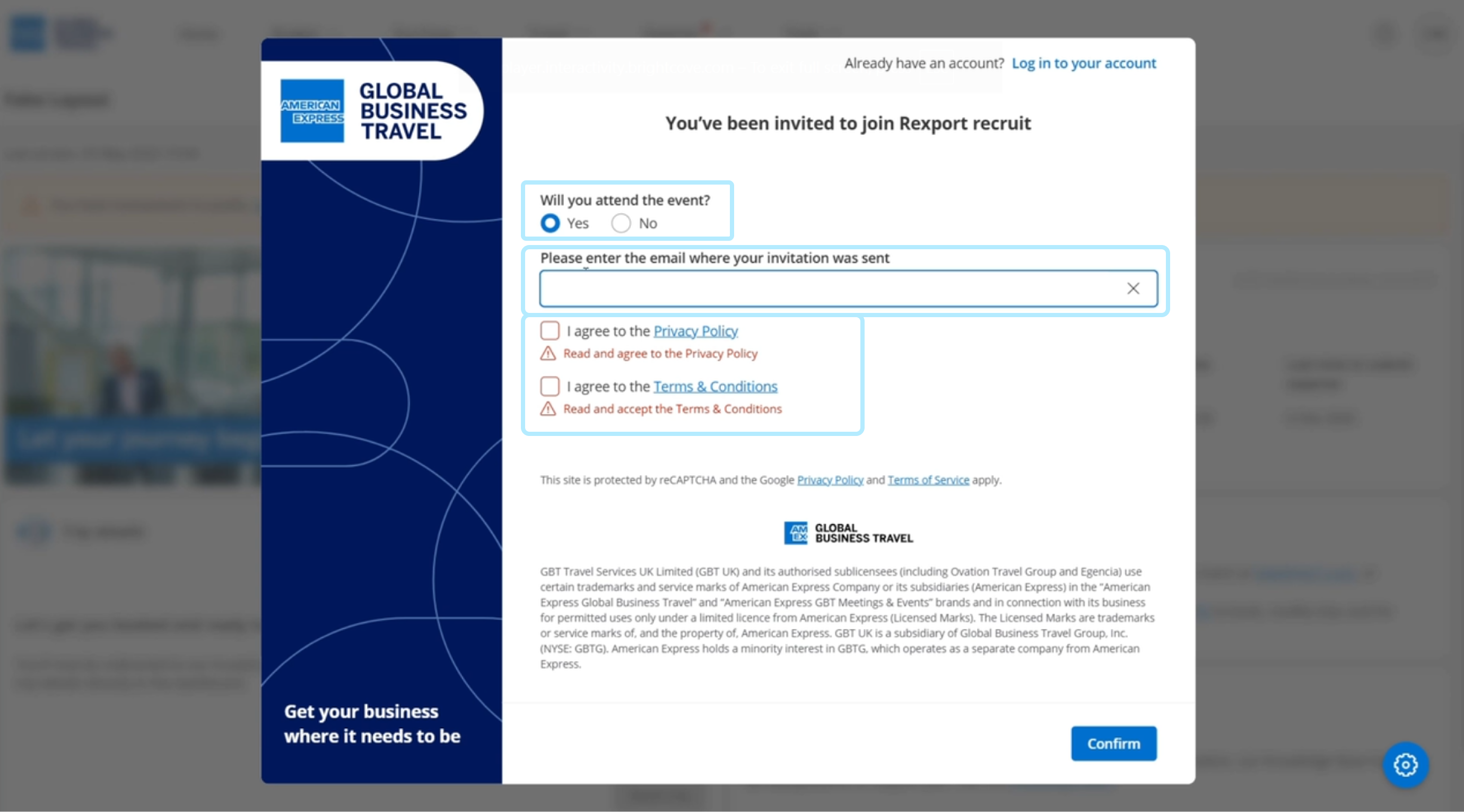
Confirming attendance
- Select ‘Yes’ to confirm your attendance.
- Enter your email address
- Agree to the privacy policy and the terms & conditions
- Click 'Confirm'.
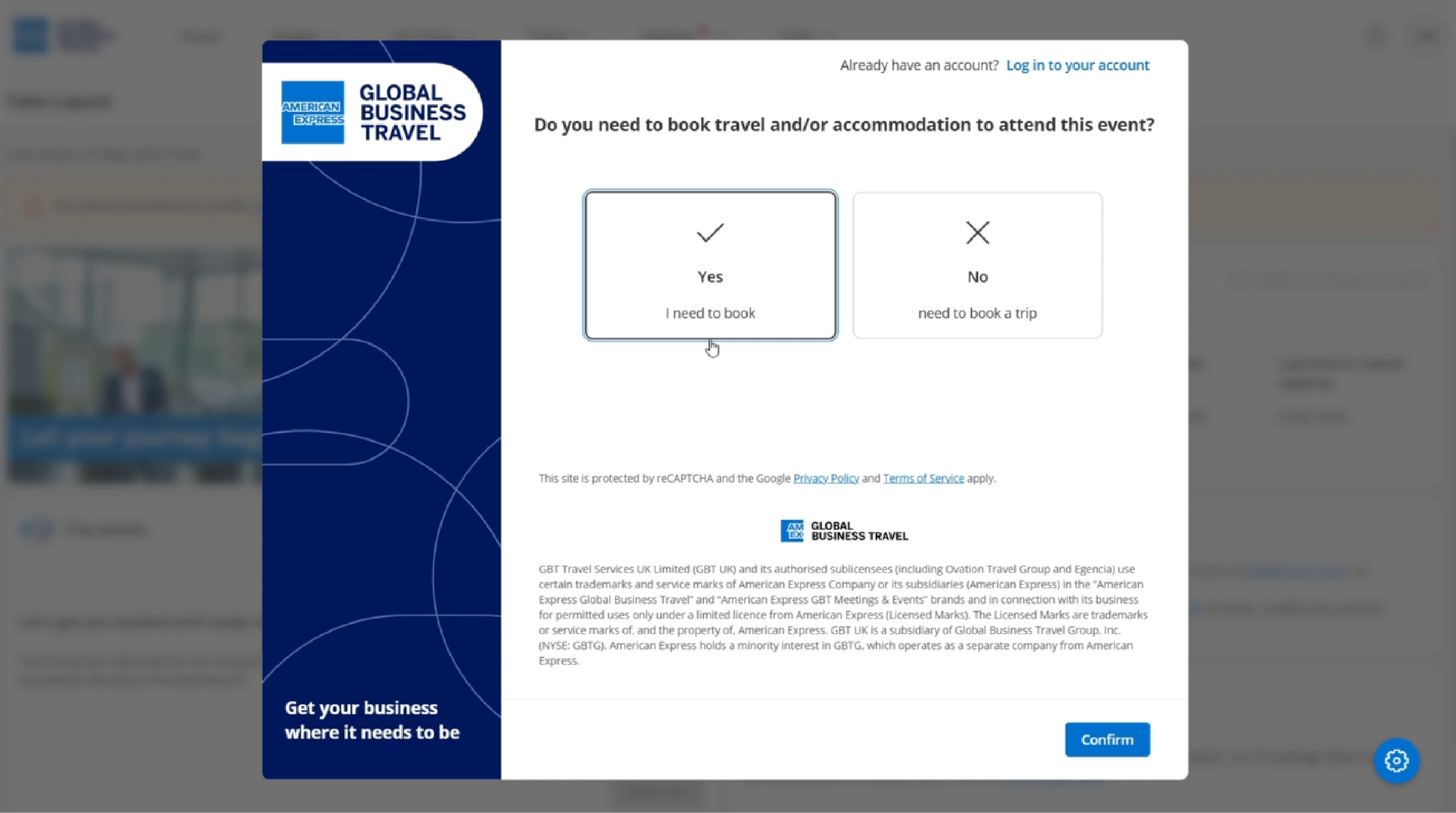
Confirming need for travel
Select 'Yes' if you need to book transportation and/or accommodation for the event, and click 'Confirm'.
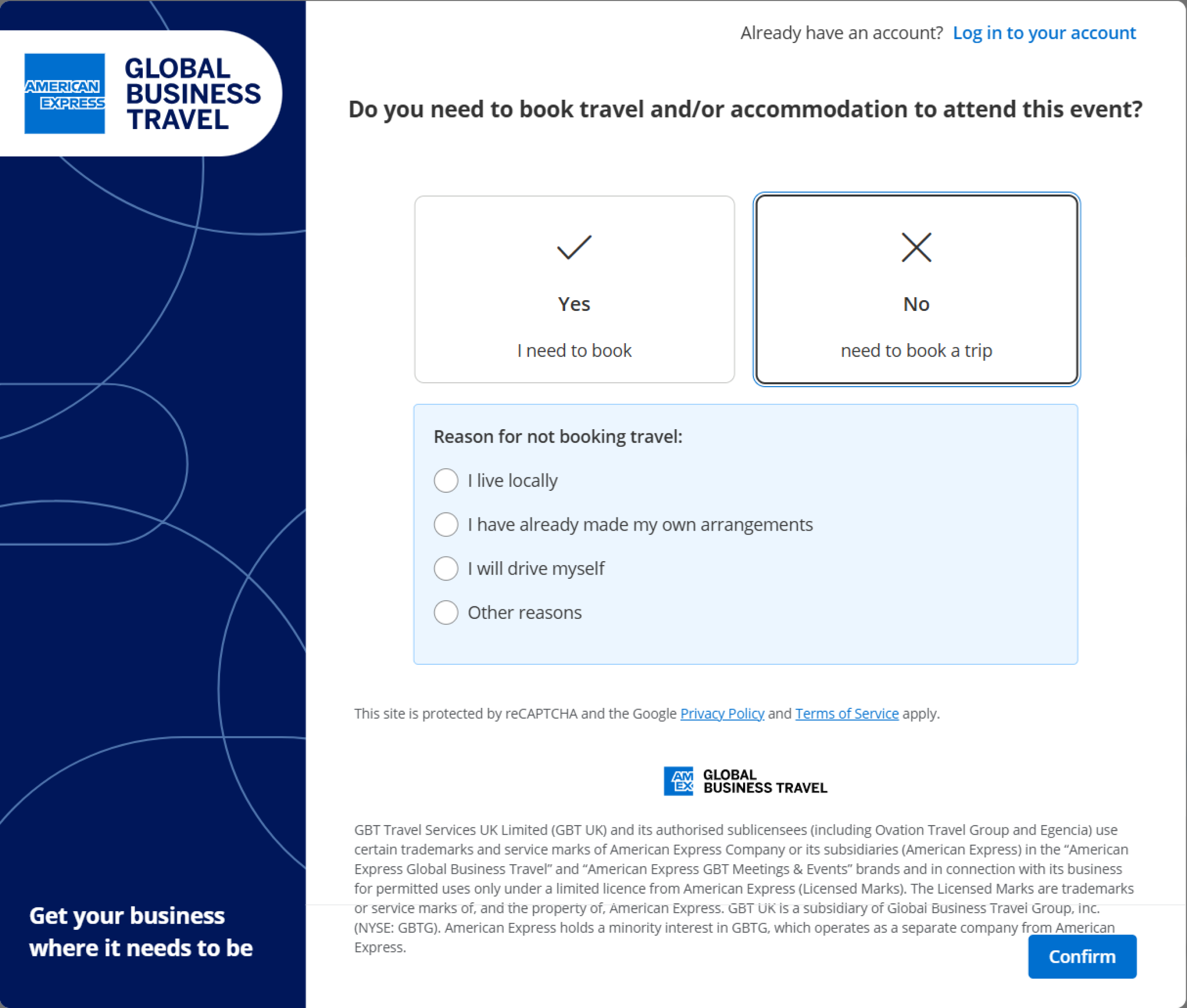
- Select 'No' if you live nearby and can drive to the event.
- Provide a reason you don't require travel booking, to help the event coordinator understand guests' needs and plan accordingly.
- Click 'Confirm' to submit your RSVP.
If you need to book travel and/or accommodation, keep an eye on your inbox — you will now receive a link to set your password and complete your profile.
Read the next article: complete your profile.