

 Audience: Admins
After creating your event and adding guests , you'll need to share the RSVP link with your guests so they can confirm their attendance. This guide will show you how to quickly locate and access your event's RSVP link.
Video: How to find the RSVP link for your event
Step by step guide
Navigate to your event’s dashboard
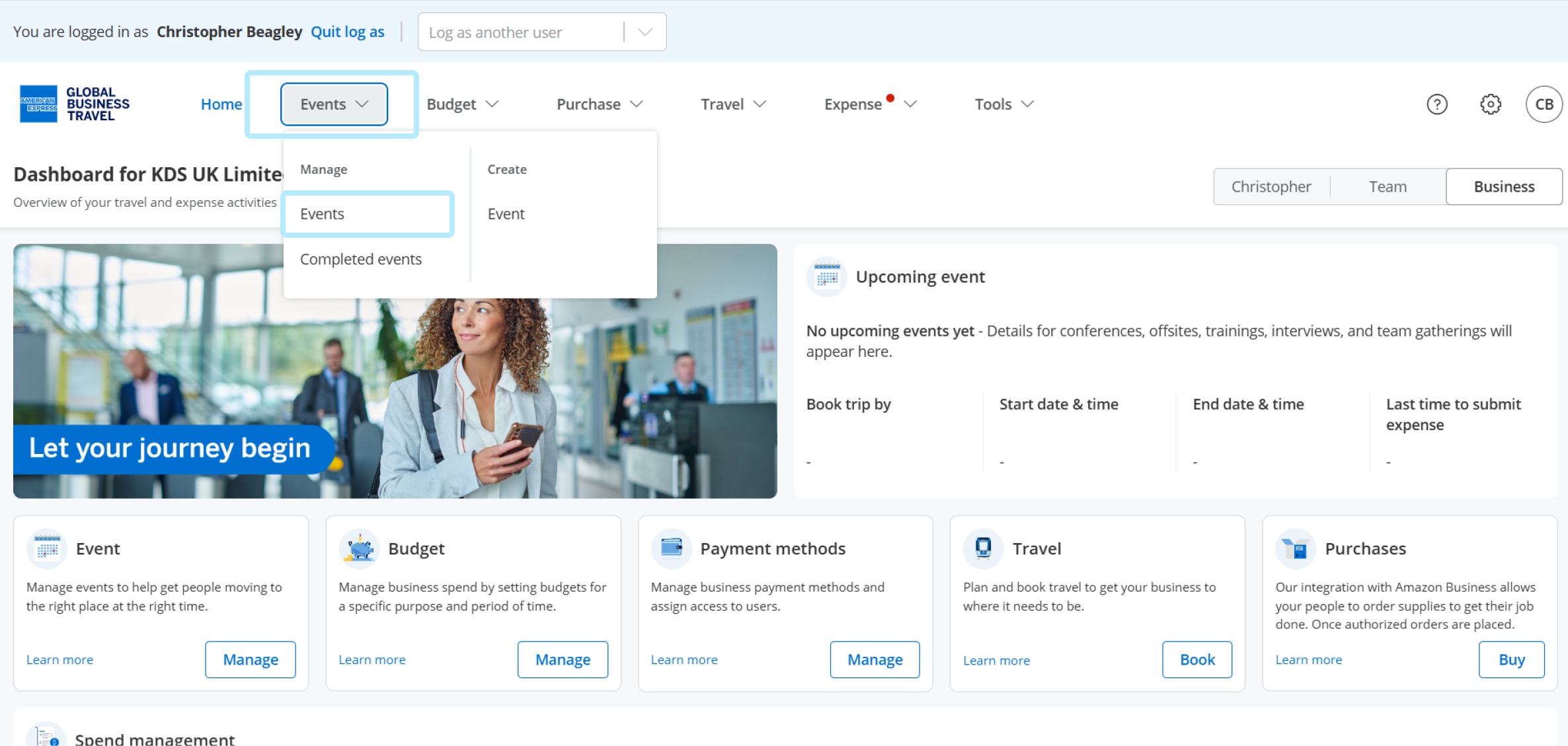
To get started, navigate to the Events section from the navigation menu.
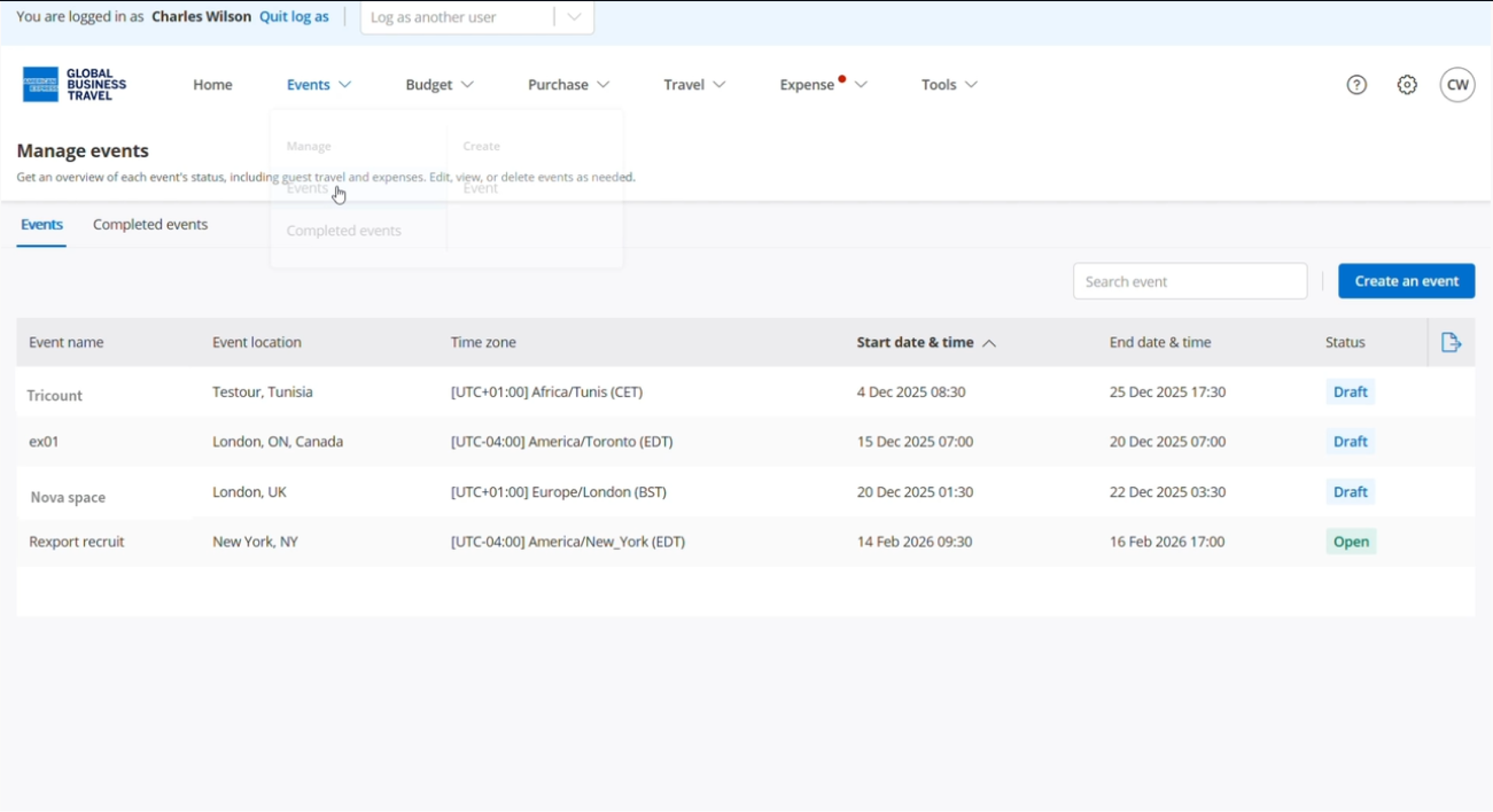
Locate and select your event
Once on the event dashboard, click ‘Copy link’ under the invitation section.
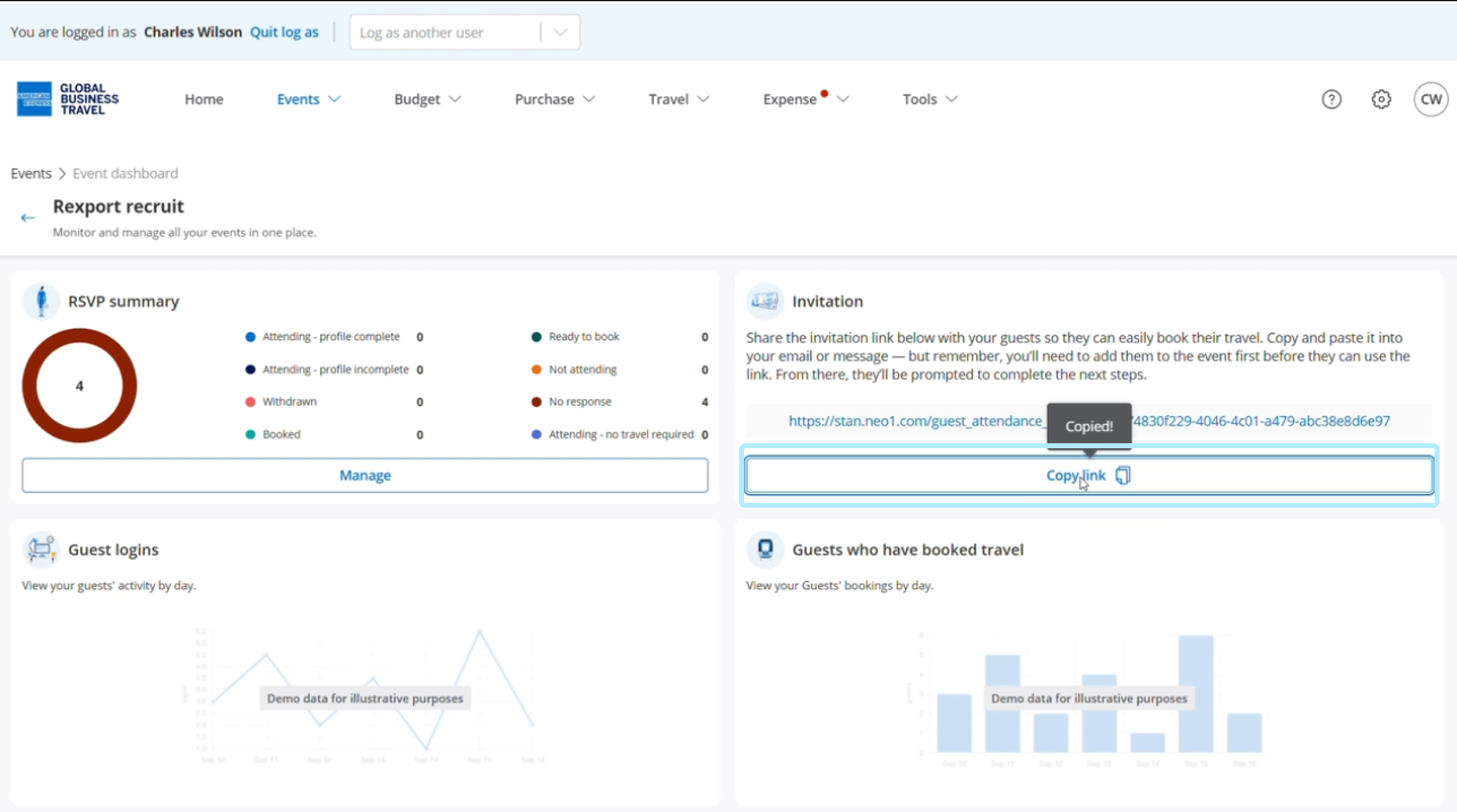
Once you've copied the RSVP link, share it with your guests so they can confirm their attendance. After guests complete their RSVP, they will need to update their profile information to start booking and take advantage of the virtual Card.
Read the next article: Confirm your attendance and need for travel.