 Audience: Admins
As an event administrator, you have everything you need to monitor and manage your event from one centralized dashboard — RSVP summary, event timeline, key details, and the invitation link, all in one place.
Video: How to manage an event
Step by step guide
1- Navigate to your event’s dashboard
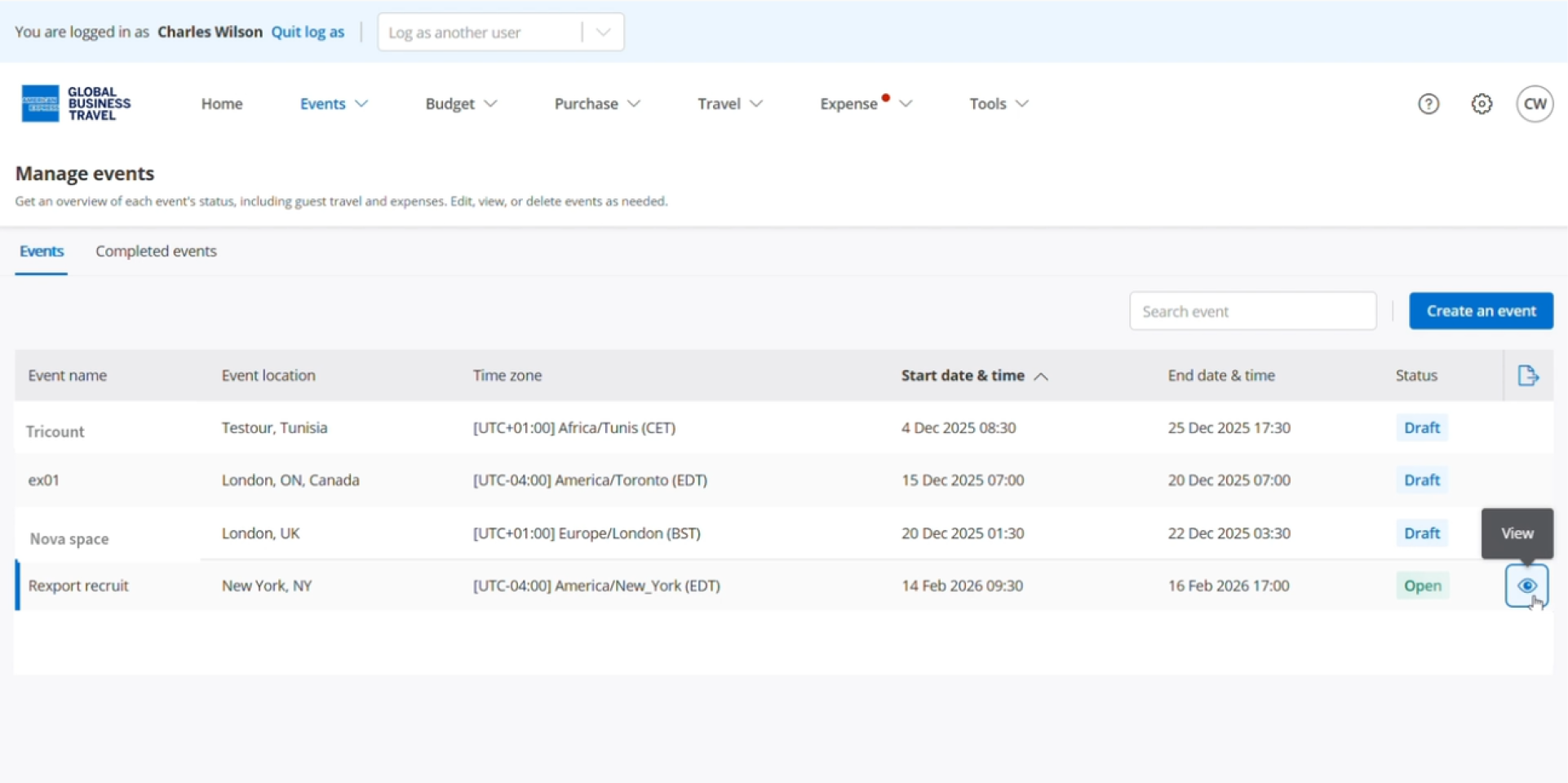
To get started, navigate to the Events section from the navigation menu, then locate and select your event.
Note: You can only edit events in Draft status. For Open events, only guest information can be edited.
2- Dashboard features overview
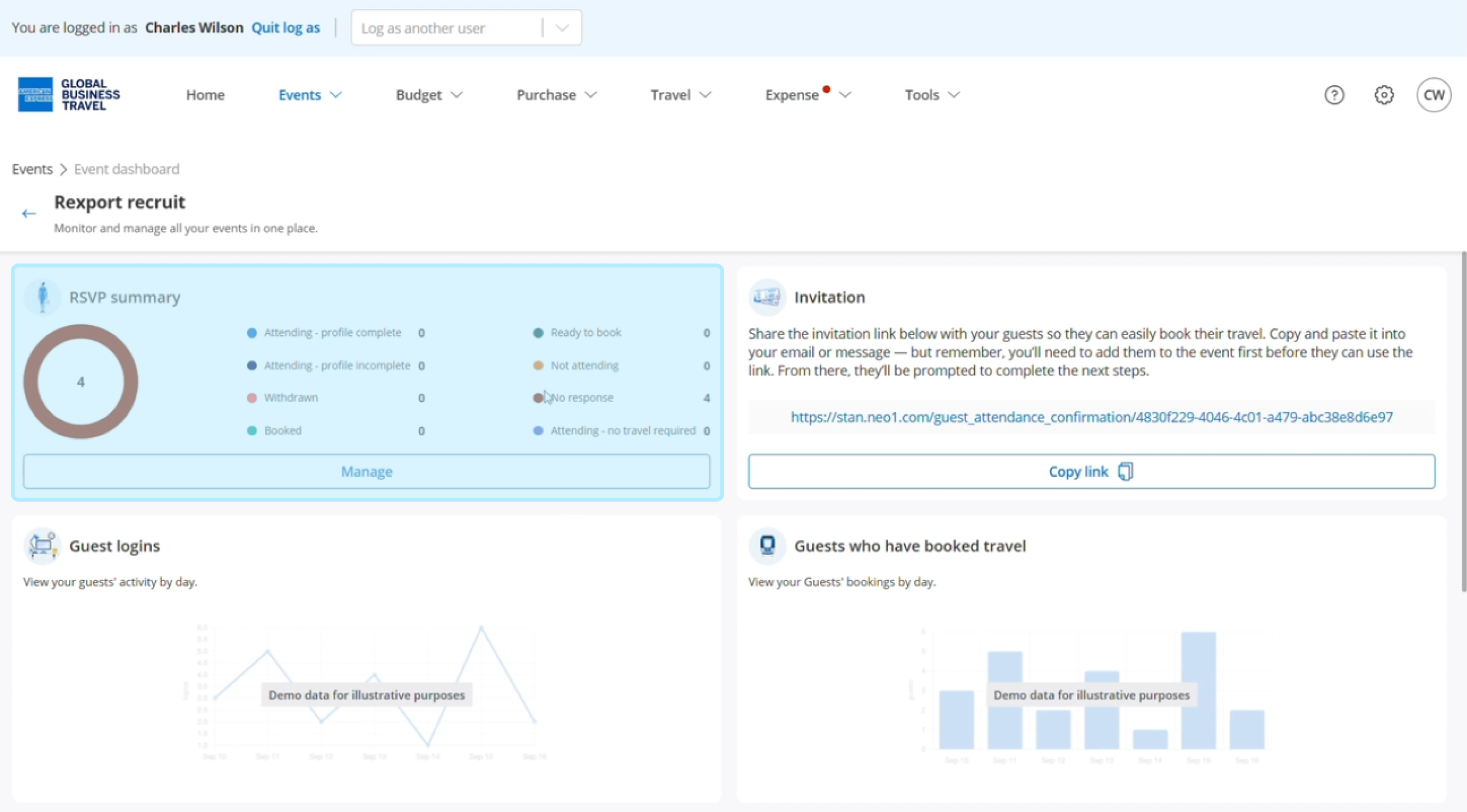
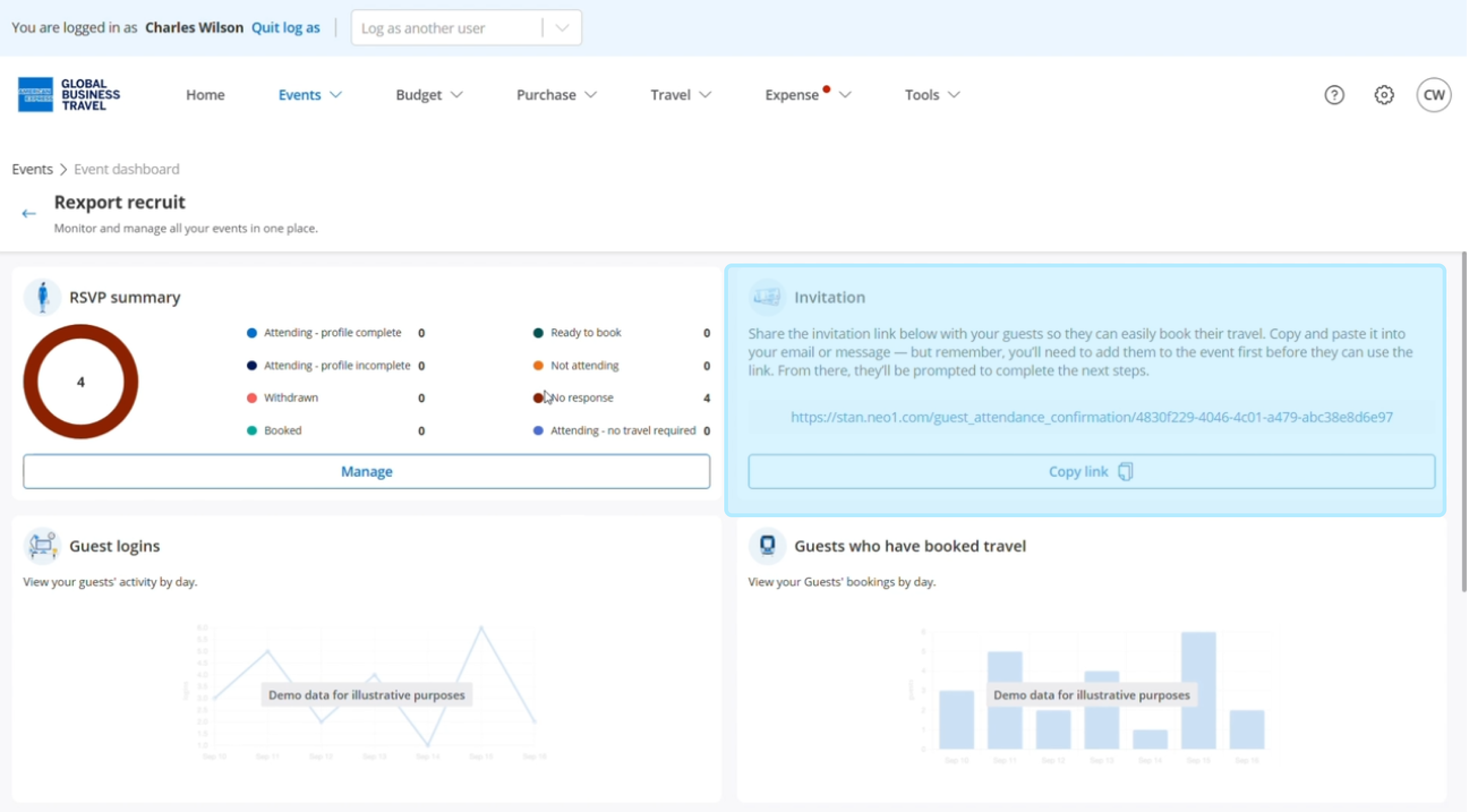
The RSVP summary provides visibility into guest attendance and booking status. Click 'Manage' to view
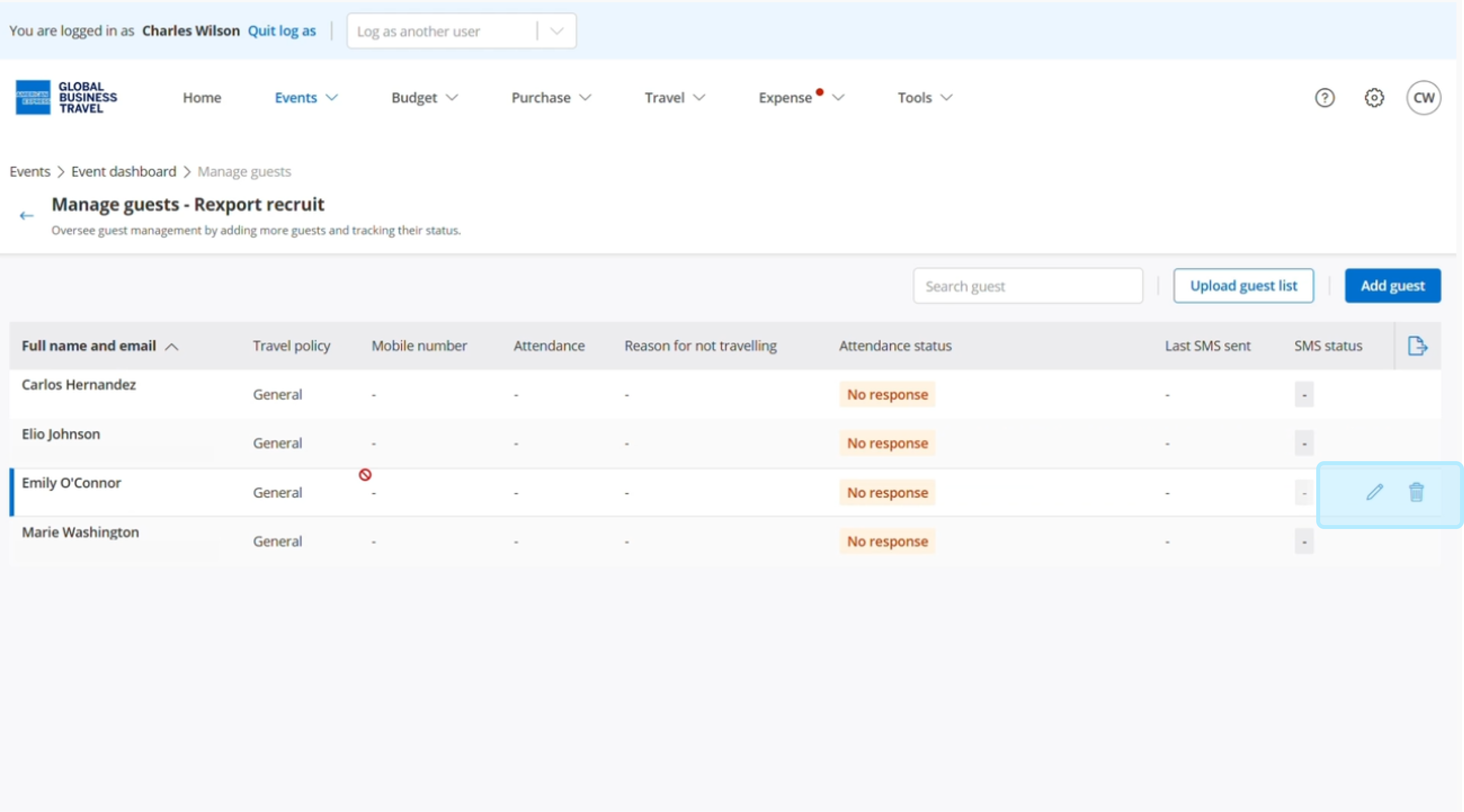
and edit your guests list
View your guest's details and attendance status, you can track SMS status if you enabled SMS notifications.
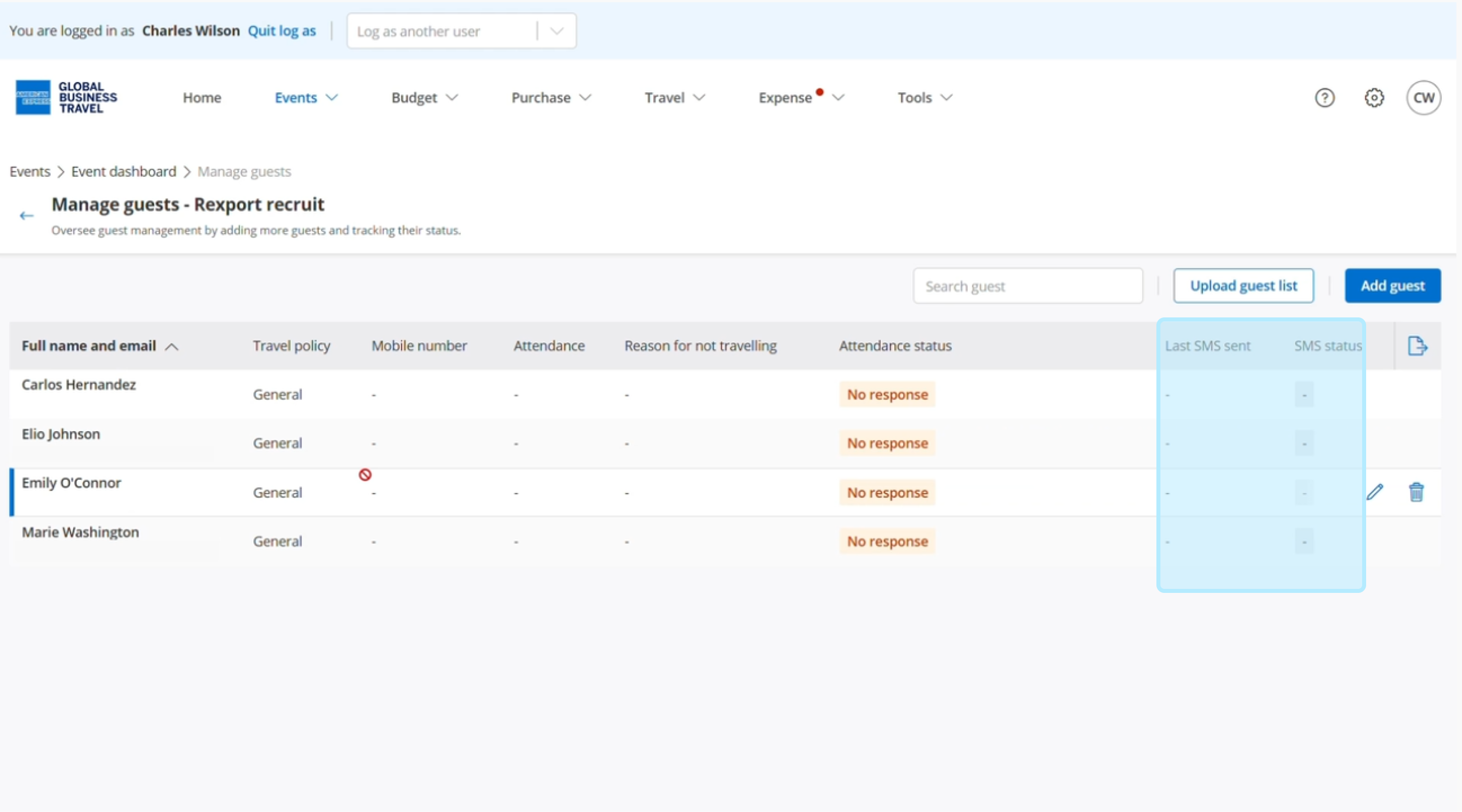
You have the option to edit or delete a guest.
Access and share your RSVP link from the 'Invitation' section
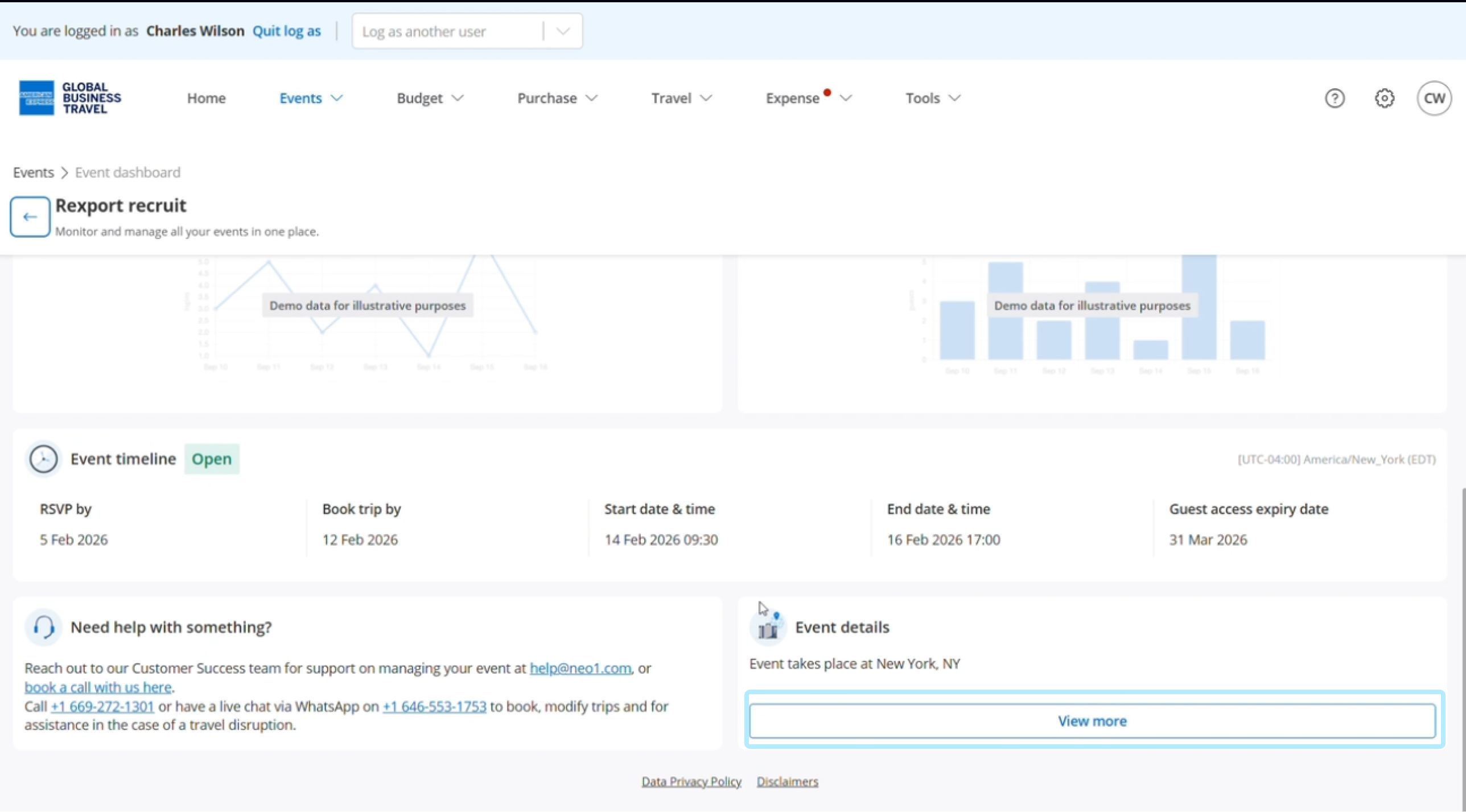
View your event's status and timeline.
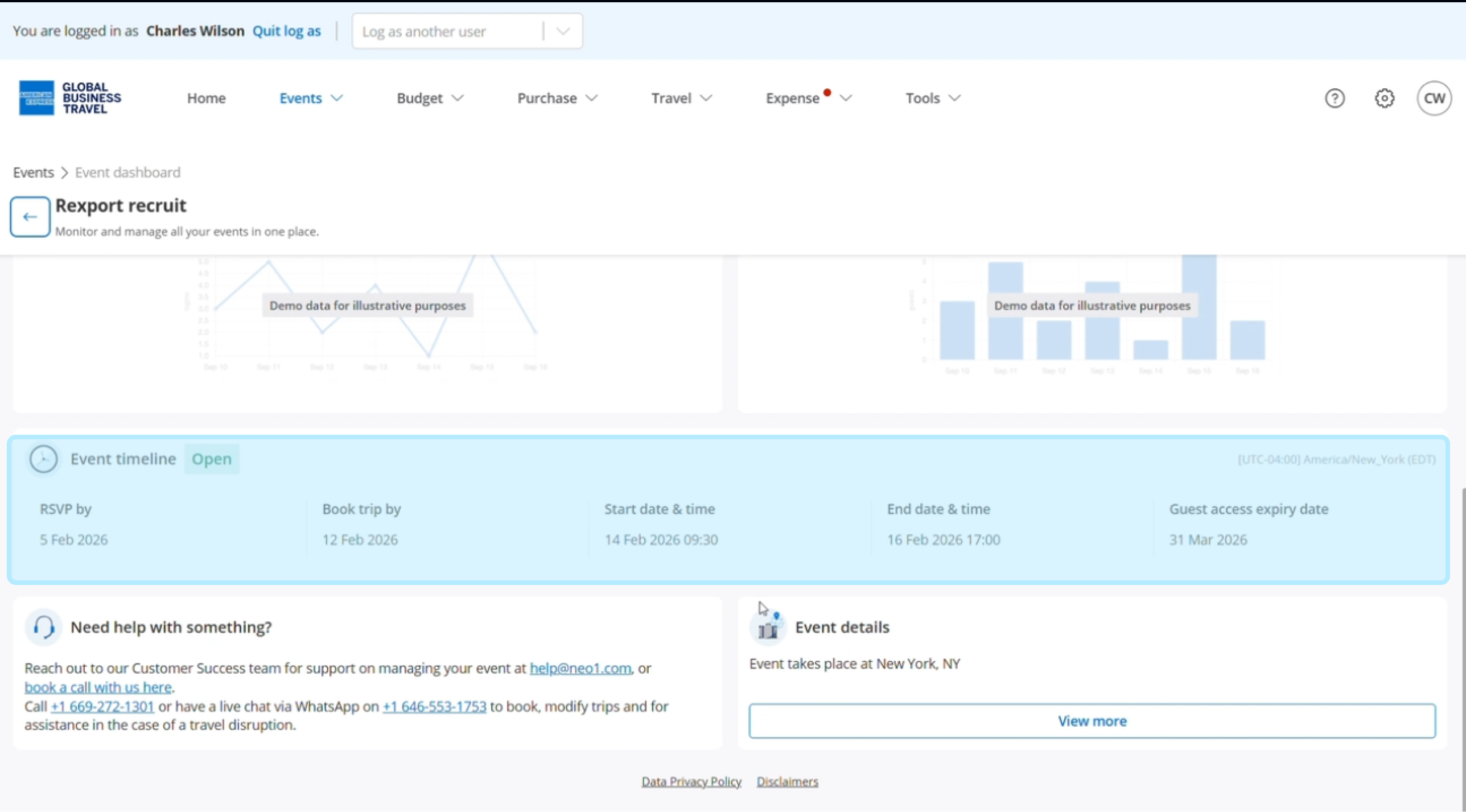
Click 'View more' to review event details.