

 Audience: Travelers
The 'Trips' page gives you a full view of your travel activity — all your bookings in one place, with real-time status and itinerary details.
Access the trips list
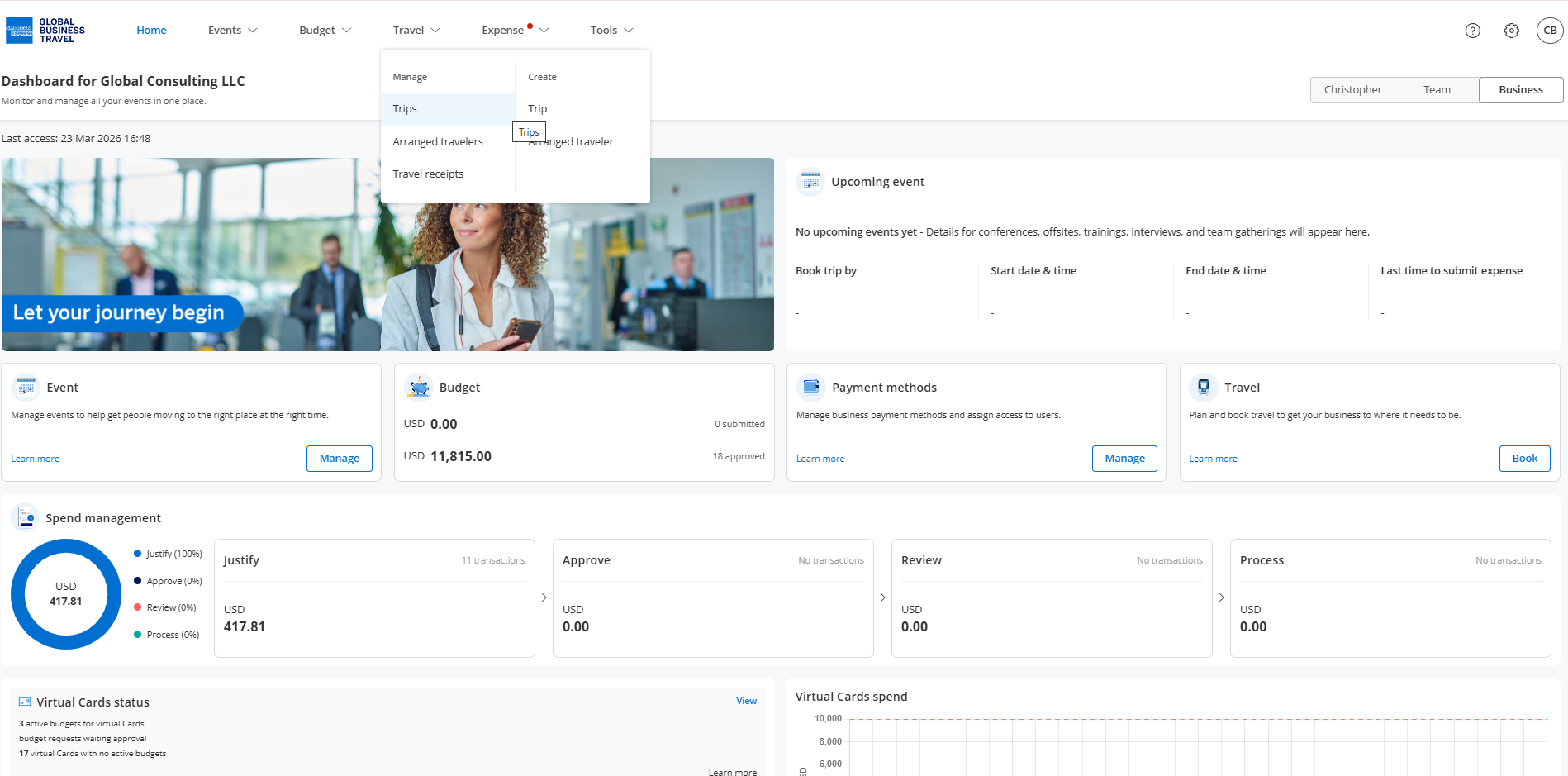
Click 'Travel' in the top navigation menu, and select 'Trips' in the 'Manage' section.
Each trip in the list shows:
- Trip name and PNR number
- Traveler name (can be different if you arrange travel for others)
- Segment icons — air, hotel, rail, car, or ground, each marked with a green check (Booked/Pending) or orange warning (Cancelled)
- Start and end location, date, and time (local time with timezone)
- Booking type — Online or Offline
- Status tag — Booked, Pending, or Cancelled
To include cancelled trips, turn on the Show Cancelled toggle. This toggle only appears if cancelled trips exist.
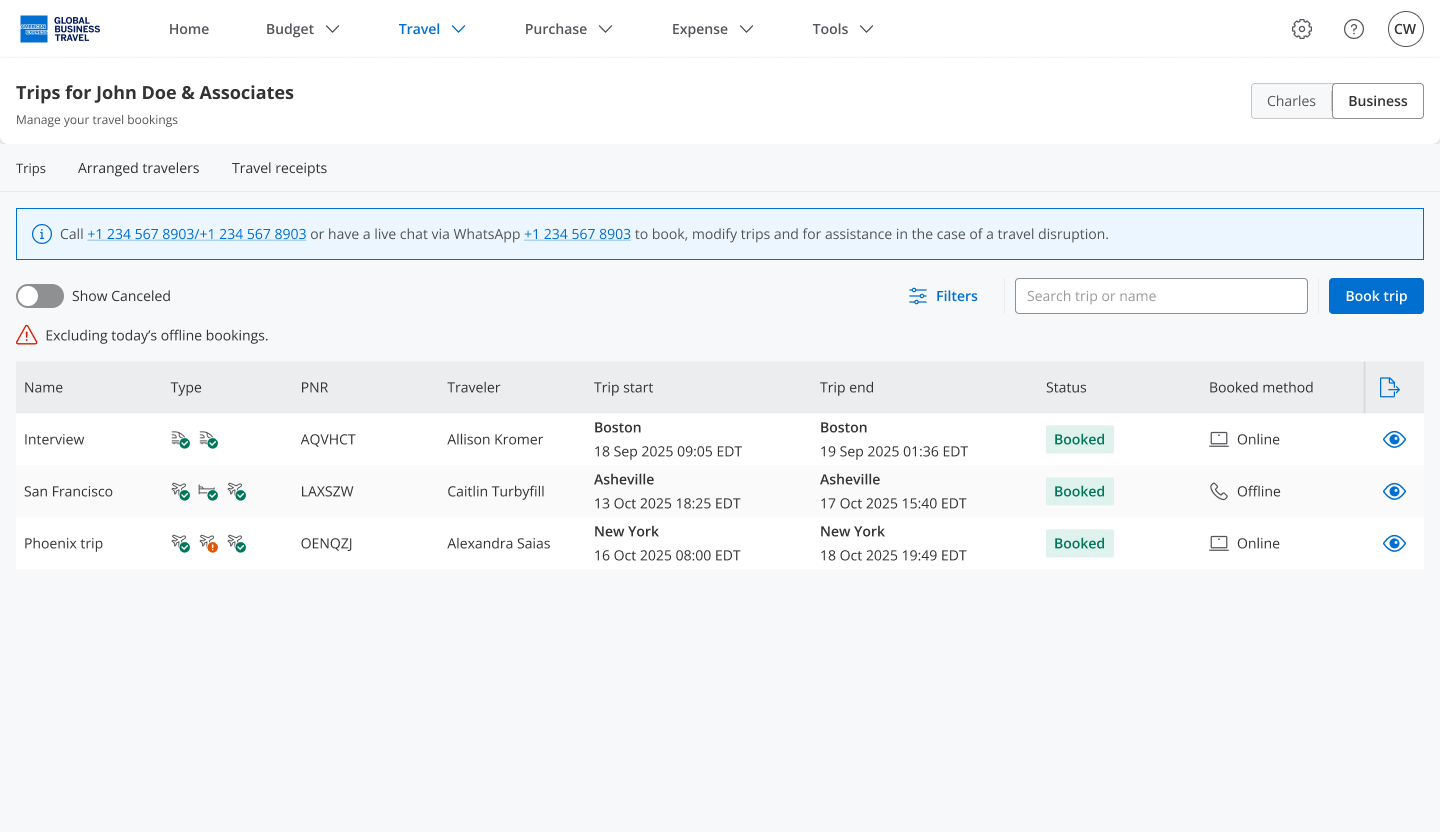
 Note: Offline trips booked in the last 24 hours may not appear yet. A warning is displayed at the top of the page when this applies.
For issues or questions about travel booking, contact our support team at help@amexgbtone.com