

In the event that the DK case was aborted or never successfully triggered via automation, you may need to create this case manually in Salesforce. You can see this case for reference.
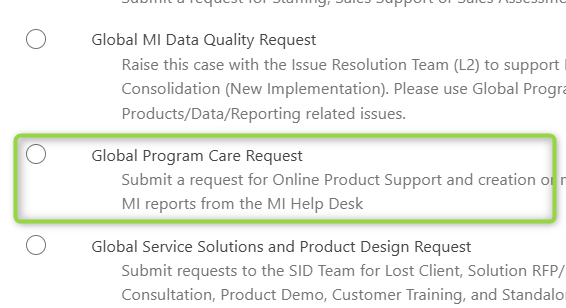
Step 1: Within Salesforce, click Cases > New > Global Program Care request

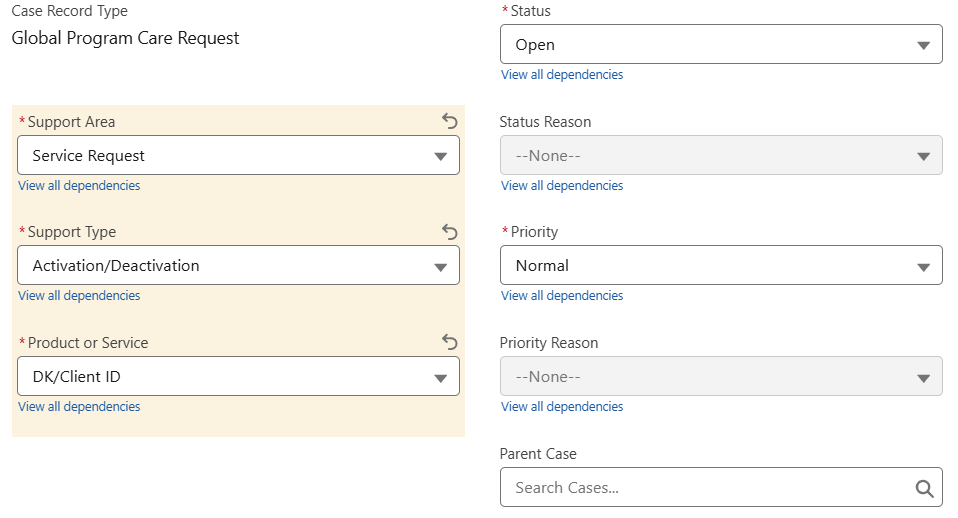
Step 2: Select the following case record type fields - Support Area > Service Request, Support Type > Activation/Deactivation, and Product or Service > DK/Client ID. Remaining fields (Status and Priority) remain as is.
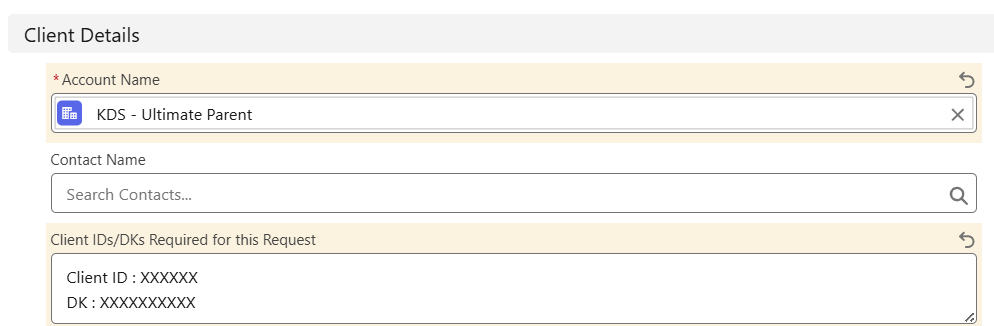
Step 3: Under Client Details, select the appropriate Account Name and input the client's assigned DK and CAPID
Step 4: Under Case Details, add the Subject : Neo1 DK, CAPID and GBT Mobile App Setup Request: Client Name. for US or UK Deployment [CAPID]. See example.

Step 5: Then provide the following information under case description. Pay close attention to highlighted areas, which indicate where you need to input account specific details. As needed, I recommend reviewing this case for reference.
Please find below a request for a new client DK and CAPID setup. This is a Neo1 on-boarded customer.
As this is a Neo1 customer, please ensure the below DK and CAPID are used.
Please also note: Contracting Process is in progress, this customer may reflect as Prospect until this has automatically changed to Client via SFDC workflow
Important: E-Invoicing needs to be set to D = for GDD for all Neo1 customers
DK Branch code = 07701
Company Name: Company Name
Tax Registration Number: {"type":"duns","value":"117952826"}
Account Region: US or UK
Market Segment:
Client ID: XXXXXX
DK: XXXXXXXXXX
DK Name: Company Name - Online & Offline
DK Type: Online & Offline
Number of DKs Required: 1
Account Address Line 1: *INSERT*
Account City: *INSERT*
Account State: *INSERT*
Account ZIP: *INSERT*
VAT Number: *INSERT for UK only*
E-invoicing: D
E-invoicing Start Date: *INSERT today's date*
Also, please set up this new customer onto GBT Mobile. Please note, with regards to the mobile app, the contact number for the click to call feature is the standard GBT online booking number: +1 669-272-1301.
Please also enable this customer for mobile booking.
Client ID: INSERT CAPID
Country: US or UK
Email Domains: INSERT Company Domain (i.e. amexgbt.com)
GDS: Sabre
Pre-Travel Booking: TU6I
Pre-Travel Queue: N/A
Is this account on any of these products EXPERT CARE, FIRST, or PROACTIVE TRAVELER CARE?: PTC
Is this client participating in the client-branded program? No
If your client is on TripCase, would you like it deinstalled? N/A
Mobile Booking Required: Yes
Reservation/Booking Offline Phone Number: +1 669-272-1301
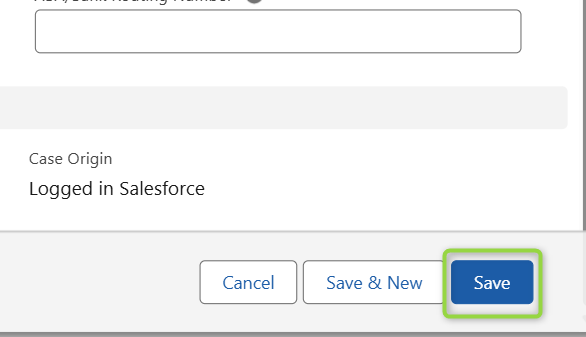
Step 6: Once you've reviewed all case description details for accuracy, click Save.
Be sure to continue reviewing your inbox and the case for any case updates/comments. Once it's confirmed that the case is complete, a manual billing case can be created, as necessary. See guide - How to complete a billing setup (manual - US)