

 Audience: Admin
 When BTA is set as the payment method for guest travel, reconciliation takes care of itself. Bookings made through Amex GBT are automatically matched to invoices. Reduced manual work, no gaps in your spend data, and full visibility into guest travel costs from day one.
Step 1: Enabling BTA for your company
To connect your Business Travel Account, start by reaching out to your Customer Success Team to make sure it's enabled for your company. By default, BTA is not enabled for new companies.
Step 2: Setting up your BTA in Business Info
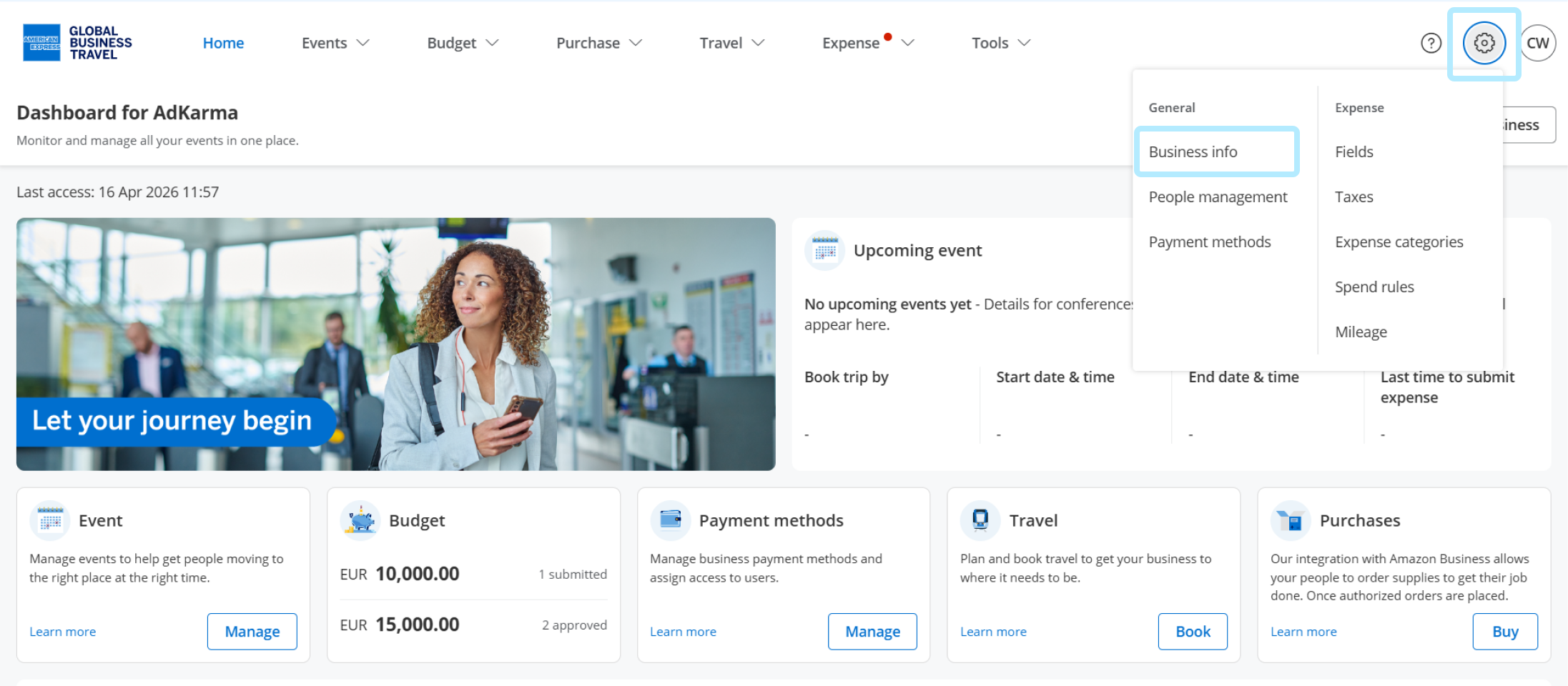
Click Settings, then select 'Business info' in the General section.
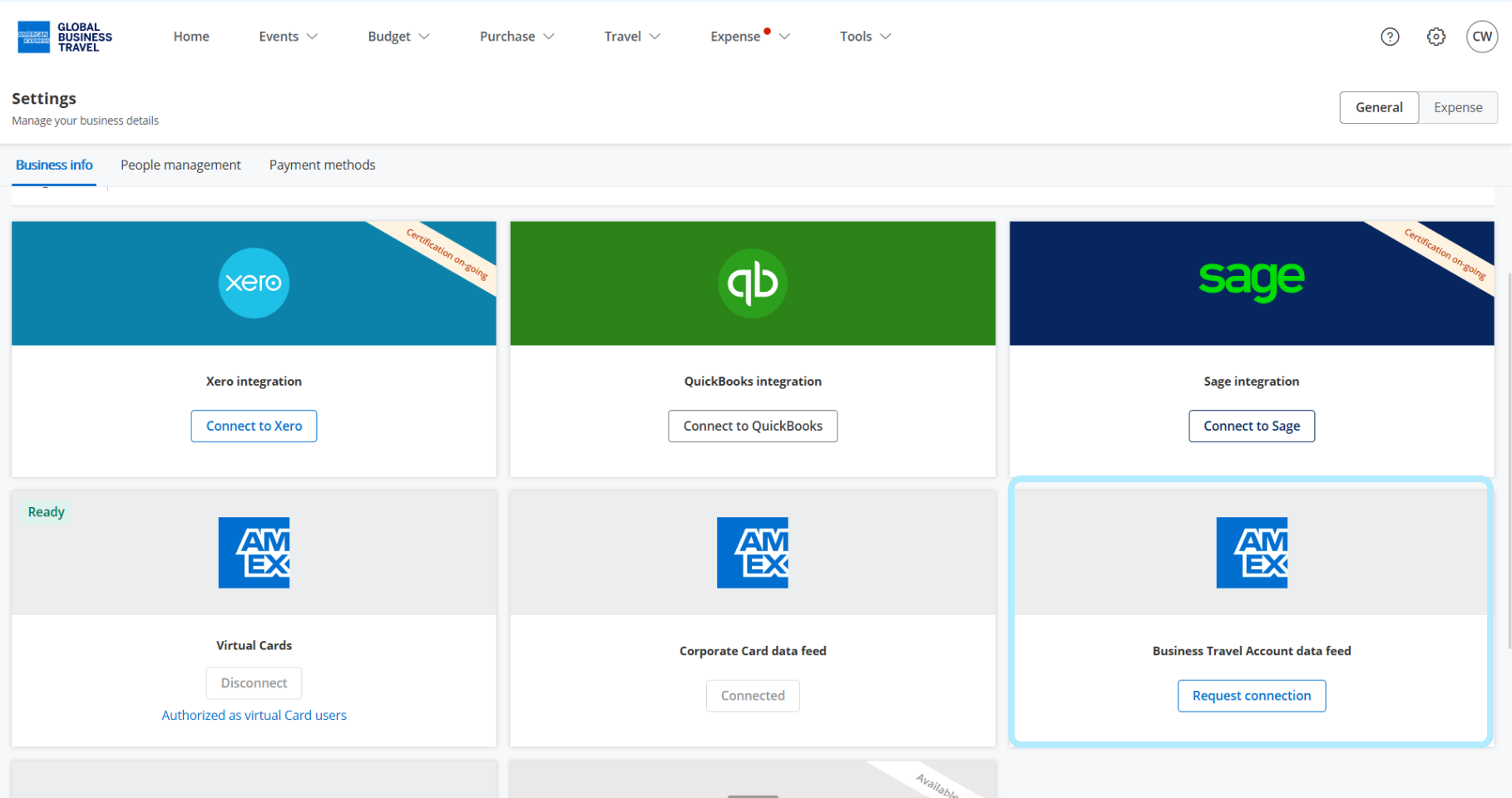
Scroll and click 'Request connection' under Business Travel Account data feed
Enter your American Express Company ID ( CID )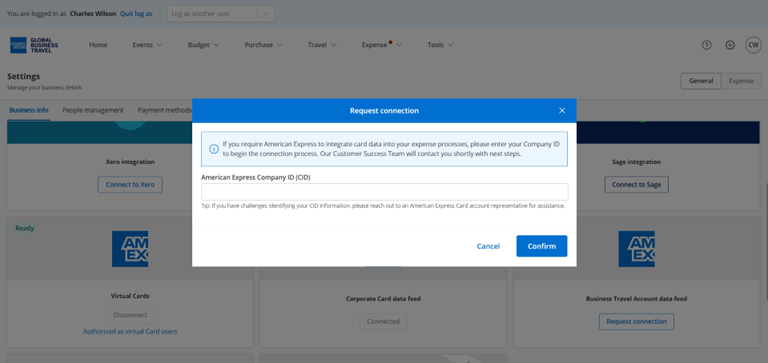
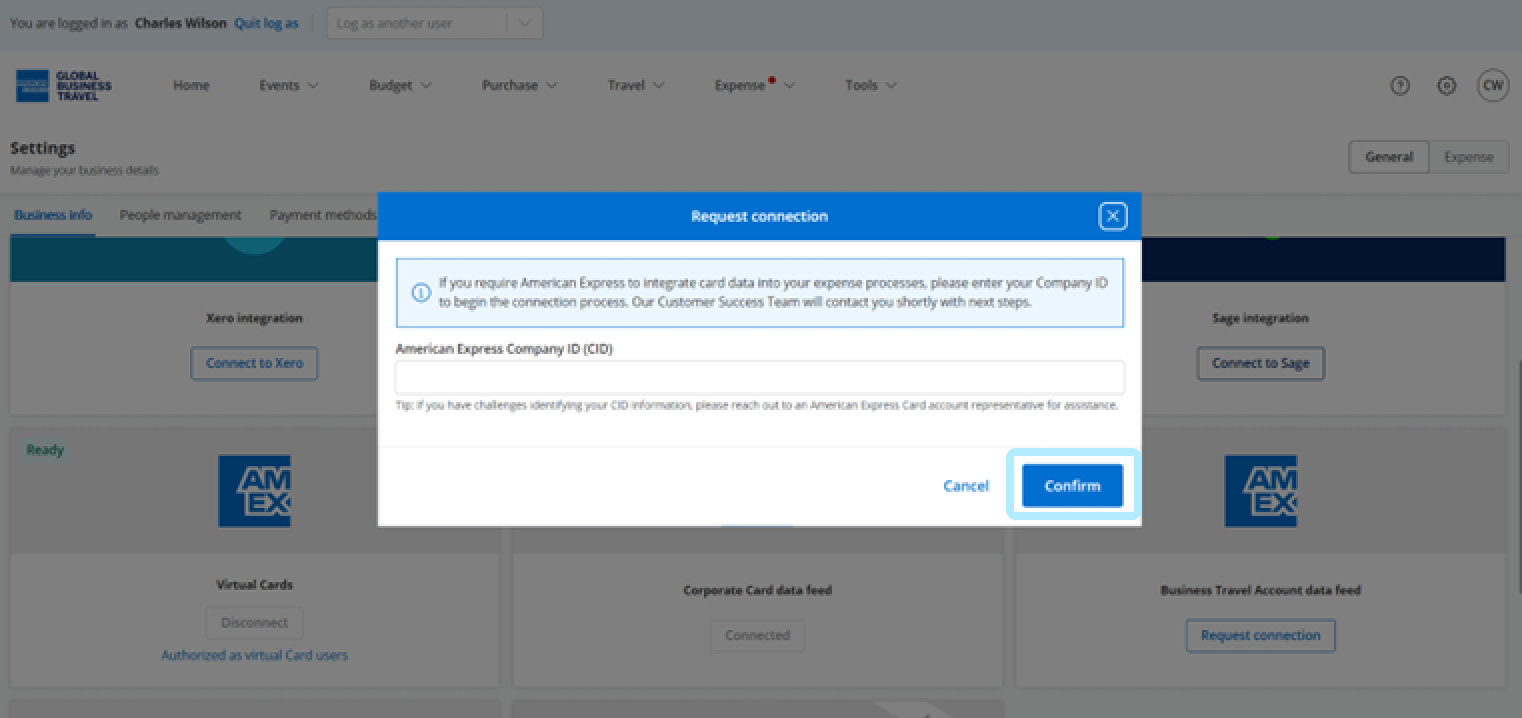
Click 'Confirm'.
Step 3: Selecting BTA as a payment method for your event
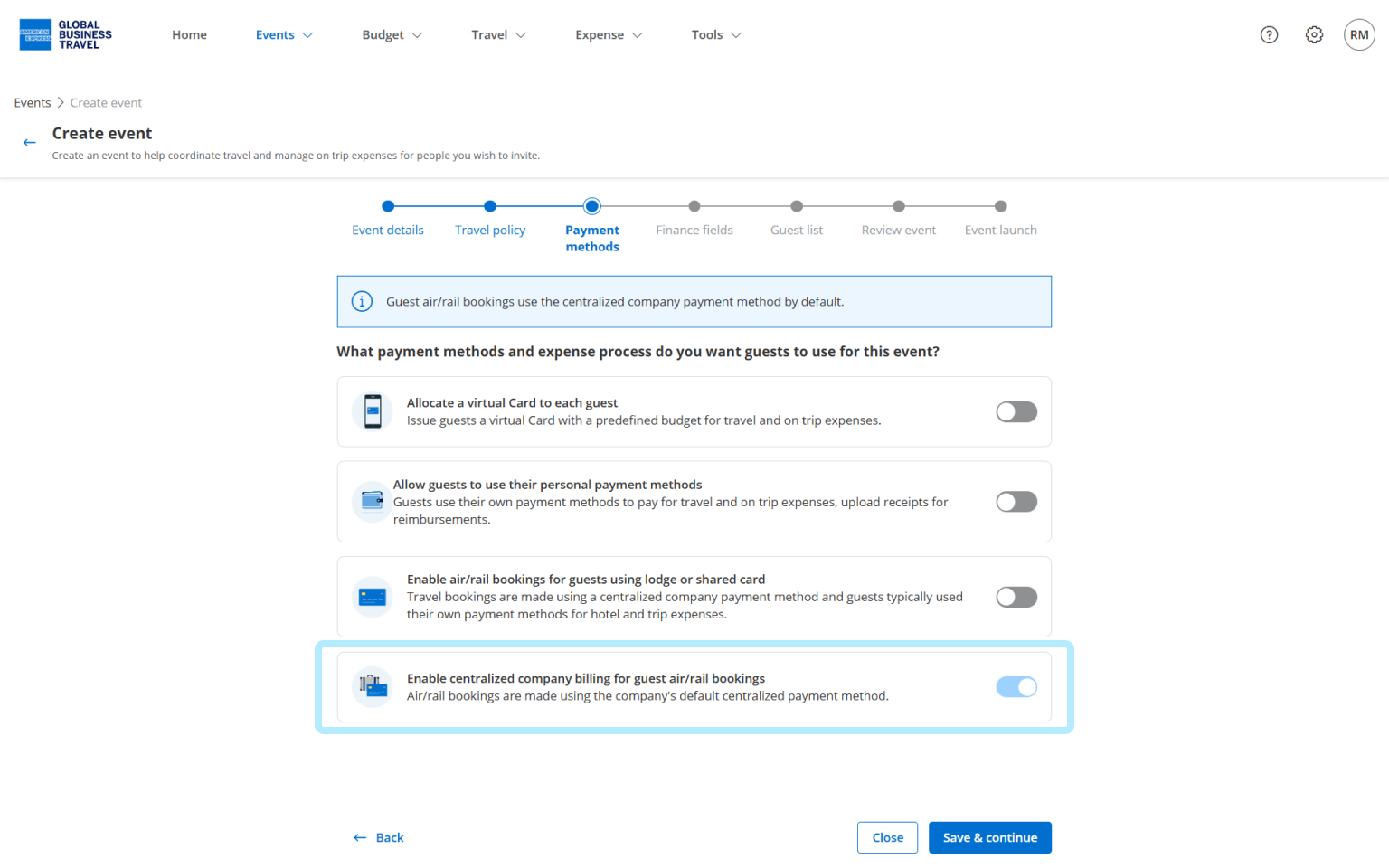
Once your BTA is connected, it becomes available as a payment method during event creation.
In the Payment Methods step, you have the option to Enable centralized company billing for guest air/rail bookings.
Tracking and Reconciliation
Every travel booking made with your BTA through Amex GBT is automatically linked to a transaction, giving finance teams full visibility into travel spend and reducing the need for manual reconciliation.
Finance teams can track total BTA spending by event, per-guest travel expenses, transaction dates and amounts, reconciliation status for each transaction, and export data for accounting software integration.